
I'm using
- Appium v1.22.2
- IntelliJ community
- Gradle with dependencies
implementation 'io.appium:java-client:7.6.0' testImplementation 'junit:junit:4.13.1' implementation 'org.assertj:assertj-core:3.22.0'
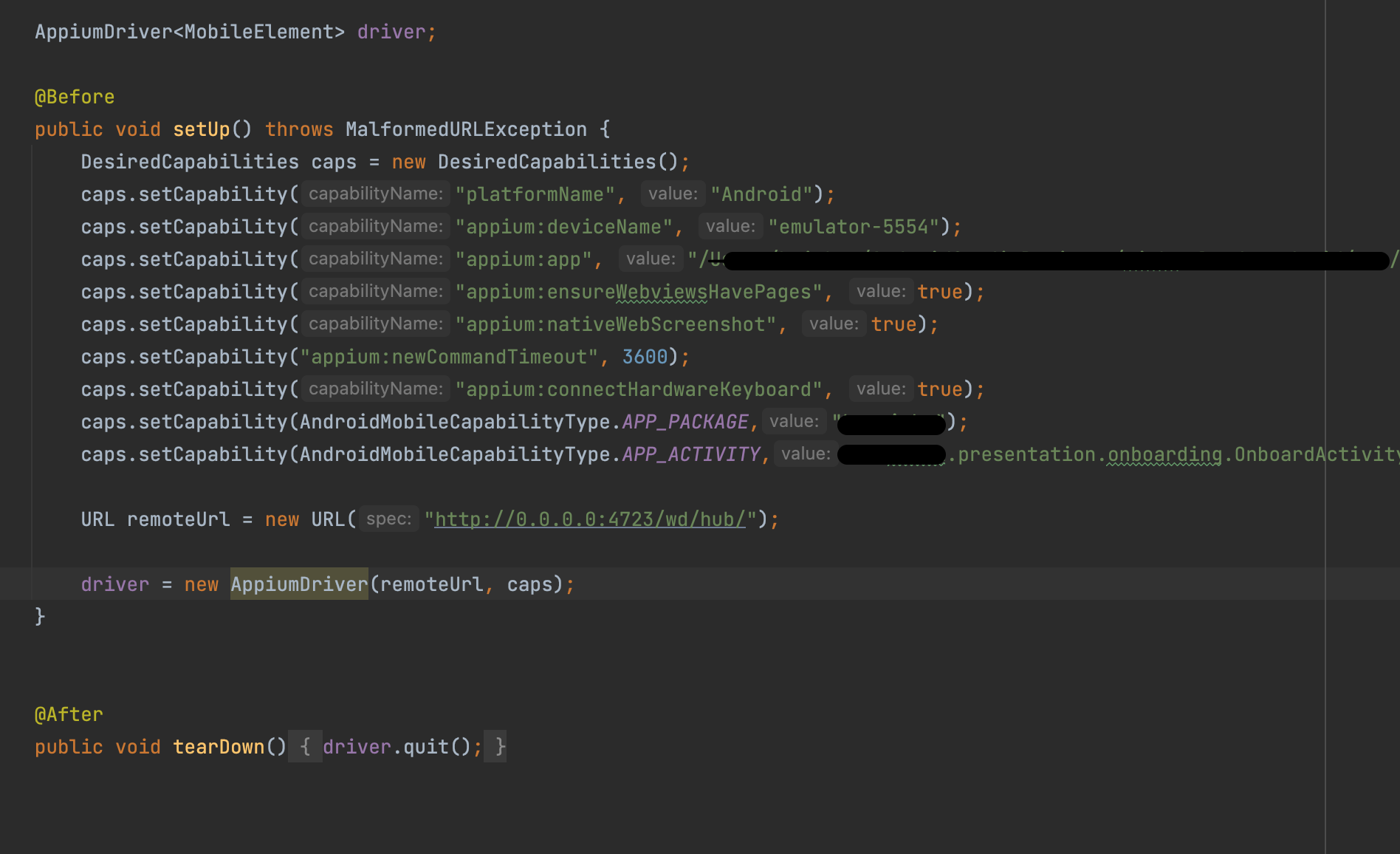
Can you please help me to start an application via Appium on Android Emulator with multiple activities?
I couldn't get ahold of the concept of App_Wait_Activity and was trying to find the best suitable activity. While looking at Appium logs, it says that appium found the best match which is presentation.onboarding.OnboardActivity. When I choose this activity the application launches and quits, and there are errors. (See the error log below)
I also checked AndroidManifest.xml on Android Studio and there are multiple activities coming from top to bottom as:
- android:name=".presentation.splash.StartActivity"
- android:name=".presentation.onboarding.OnboardActivity"
- android:name=".presentation.splash.SplashActivity"
- android:name=".MainActivity"
- android:name=".presentation.custom_view.widgets.WidgetsActivity"
The error log with chosen App_activity as .presentation.onboarding.OnboardActivity.
    org.openqa.selenium.SessionNotCreatedException: Unable to create a new remote session. Please check the server log for more details. Original error: An unknown server-side error occurred while processing the command. Original error: Cannot start the 'app_package_name' application. Visit https://github.com/appium/appium/blob/master/docs/en/writing-running-appium/android/activity-startup.md for troubleshooting. Original error: Error executing adbExec. Original error: 'Command '/Users/baizhan/Library/Android/sdk/platform-tools/adb -P 5037 -s emulator-5554 shell am start -W -n app_package_name/app_package_name.presentation.onboarding.OnboardActivity -S -a android.intent.action.MAIN -c android.intent.category.LAUNCHER -f 0x10200000' exited with code 255'; Command output: Security exception: Permission Denial: starting Intent { act=android.intent.action.MAIN cat=[android.intent.category.LAUNCHER] flg=0x10200000 cmp=app_package_name/.presentation.onboarding.OnboardActivity } from null (pid=10838, uid=2000) not exported from uid 10151

java.lang.SecurityException: Permission Denial: starting Intent { act=android.intent.action.MAIN cat=[android.intent.category.LAUNCHER] flg=0x10200000 cmp=app_package_name/.presentation.onboarding.OnboardActivity } from null (pid=10838, uid=2000) not exported from uid 10151
    at com.android.server.wm.ActivityStackSupervisor.checkStartAnyActivityPermission(ActivityStackSupervisor.java:1043)
    at com.android.server.wm.ActivityStarter.startActivity(ActivityStarter.java:760)
    at com.android.server.wm.ActivityStarter.startActivity(ActivityStarter.java:583)
    at com.android.server.wm.ActivityStarter.startActivityMayWait(ActivityStarter.java:1288)
    at com.android.server.wm.ActivityStarter.execute(ActivityStarter.java:514)
    at com.android.server.wm.ActivityTaskManagerService.startActivityAndWait(ActivityTaskManagerService.java:1231)
    at com.android.server.am.ActivityManagerService.startActivityAndWait(ActivityManagerService.java:3512)
    at com.android.server.am.ActivityManagerShellCommand.runStartActivity(ActivityManagerShellCommand.java:513)
    at com.android.server.am.ActivityManagerShellCommand.onCommand(ActivityManagerShellCommand.java:172)
    at android.os.ShellCommand.exec(ShellCommand.java:104)
    at com.android.server.am.ActivityManagerService.onShellCommand(ActivityManagerService.java:9774)
    at android.os.Binder.shellCommand(Binder.java:881)
    at android.os.Binder.onTransact(Binder.java:765)
    at android.app.IActivityManager$Stub.onTransact(IActivityManager.java:4498)
    at com.android.server.am.ActivityManagerService.onTransact(ActivityManagerService.java:2741)
    at android.os.Binder.execTransactInternal(Binder.java:1021)
    at android.os.Binder.execTransact(Binder.java:994)