
Simply put, I'd like my app to allow the user to filter images with certain characteristics and consequently allow them to download the selected images into a zip file. The images are stored locally.
I've been able to add the images as thumbnails and allow the user to download the data associated with it (as a .csv) but not the actual images.
Here's what I have:
df <- read.csv("./imagedata.csv")

thumbnails <- list.files(path = "./localstore/", pattern = NULL, all.files = FALSE,
                         full.names = F, recursive = FALSE,
                         ignore.case = FALSE, include.dirs = FALSE, no.. = FALSE)


thumbnail_path = "./localstore/"


#----------------------------------Process Thumbnnail----------------------------------#

steps <- 0
out <- vector(mode = "list", length = nrow(df))

for (i in df$Thumbnail) {

  out[i] <- knitr::image_uri(i)

  steps <- steps + 1

}
print(steps)


ProcessedIcon <- as.data.frame(unlist(out))


Icon <-  paste("<img src=", ProcessedIcon$`unlist(out)` ,"></img>", sep = "")

df_Icon <- cbind(df, Icon)


#--------------------------------------- UI ---------------------------------------#

ui <- dashboardPage(
  skin = "green",
  dashboardHeader(title = span(img(src = "logo.png", height = 35), img(src = "logo2.png", height = 35))),

  dashboardSidebar(
    sidebarMenu(

      menuItem("Item Category", tabName = "category", icon = icon("file"),

               selectInput(inputId = "ItemCategory",
                           label = "",
                           choices = unique(df$ItemCategory),
                           selected = unique(df$ItemCategory),
                           multiple = TRUE,
                           selectize = TRUE,
                           width = NULL,
                           size = NULL)
),
      menuItem("Item Sub-category", tabName = "subcategory", icon = icon("copy"),
               selectInput(inputId = "ItemSubCategory",
                           label = "",
                           choices = unique(df$SubCategory),
                           selected = unique(df$SubCategory),
                           multiple = TRUE,
                           selectize = TRUE,
                           width = NULL,
                           size = NULL)

      ),

      br(),

      br(),
      column(11, align = "center",
             downloadButton("downloadData", "Download Data"), class = "butt"),
      tags$head(tags$style(".butt{font:black;}")),

      br(),

      br(),
      column(11, align = "center",
             downloadButton("downloadImages", "Download Images"), class = "butt"),
      tags$head(tags$style(".butt{font:black;}"))

    )
  ),


  dashboardBody(

    DT::dataTableOutput('dftable'),

  )
)

#--------------------------------------- Server ---------------------------------------#

server <- function(input, output) {


#------------------------------------Download table-------------------------------#

  Info_Database <-  reactive  ({

    df %>%
      filter(ItemCategory %in% c(input$ItemCategory)) %>%
      filter(SubCategory %in% c(input$ItemSubCategory)) %>%
      select(-Thumbnail)

  })


#------------------------------------Display table-------------------------------#

  table <-  reactive  ({

    df_Icon %>%
      select(Icon, ItemCategory, SubCategory, QualityOfImage, Recognisability)%>%
      filter(ItemCategory %in% c(input$ItemCategory)) %>%
      filter(SubCategory %in% c(input$ItemSubCategory)) %>%

  })


  output$dftable <- DT::renderDataTable({


    DT::datatable(table(), escape = FALSE, options = list(scrollX = TRUE))


  })

  # download handler- Database
  output$downloadData <- downloadHandler(
    filename = function() {
      paste('ImageDatabase_', Sys.Date(), '.csv', sep='')
    },
    content = function(con) {
      write.csv(Info_Database(), con)
    }
  )


# here's where I'm totally lost
  # download handler- Images
  #output$downloadImages <- downloadHandler(

  #)


}
imagedata.csv should look like:
| ItemCategory | SubCategory | QualityOfImage | Recognisability |
|---|---|---|---|
| Animal | Cat | 5 | 4 |
| Animal | Dog | 4 | 3 |
| Food | Banana | 3 | 4 |
| Objects | House | 5 | 5 |
Display table should look like:
| Icon | ItemCategory | SubCategory | QualityOfImage | Recognisability |
|---|---|---|---|---|
 |
Animal | Cat | 5 | 4 |
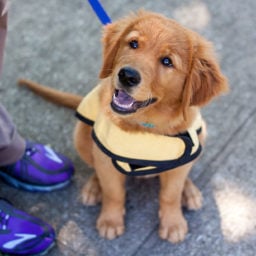 |
Animal | Dog | 4 | 3 |
 |
Food | Banana | 3 | 4 |
 |
Objects | House | 5 | 5 |