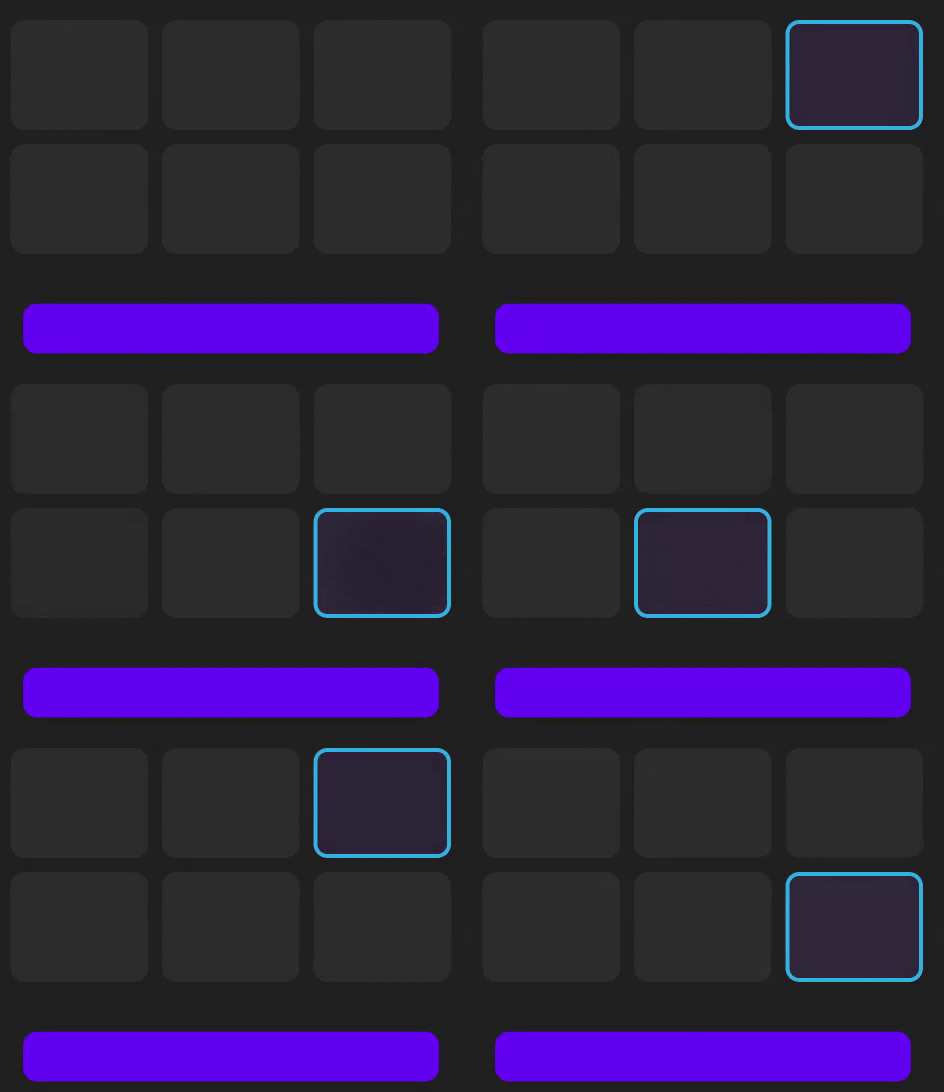
I want to know how can I apply stroke color to card view onClick and also deselect it when clicked again
Also, I have multiple card views, so if one is already selected and the stroke color is applied but if the user clicks another card view the stroke color disappeared from the first and is applied to the respected card view
How can I achieve this?
Right now I have applied a stroke color to one card view
Just as a note further, I want to get the selected CardView id or the amount when the donate button is clicked and pass the card view (amount) to the payment gateway.
This is what it looks like:

donate_fragment.xml // only the card view section and the button
<TextView
        android:layout_width="wrap_content"
        android:layout_height="wrap_content"
        android:layout_gravity="center"
        android:layout_marginTop="50dp"
        android:text="@string/select_an_amount"
        android:textColor="@color/white"
        android:textSize="25sp"
        android:textStyle="bold|normal" />

    <LinearLayout
        android:layout_width="wrap_content"
        android:layout_height="wrap_content"
        android:layout_gravity="center"
        android:layout_marginTop="30dp"
        android:orientation="horizontal">

        <com.google.android.material.card.MaterialCardView
            android:layout_width="100dp"
            android:layout_height="80dp"
            app:strokeColor="@color/wallet_holo_blue_light"
            app:strokeWidth="3dp"
            android:layout_marginEnd="10dp"
            android:backgroundTint="@color/Card_Elevation_Color"
            android:clickable="true"
            android:focusable="true"
            android:foreground="?android:attr/selectableItemBackground"
            app:cardCornerRadius="10dp"
            app:cardElevation="2dp">

            <TextView
                android:layout_width="wrap_content"
                android:layout_height="wrap_content"
                android:layout_gravity="center"
                android:text="@string/_0_5"
                android:textColor="@color/white"
                android:textSize="20sp"
                android:textStyle="bold|normal" />
        </com.google.android.material.card.MaterialCardView>

        <com.google.android.material.card.MaterialCardView
            android:layout_width="100dp"
            android:layout_height="80dp"
            android:layout_marginEnd="10dp"
            android:backgroundTint="@color/Card_Elevation_Color"
            android:clickable="true"
            android:focusable="true"
            android:foreground="?android:attr/selectableItemBackground"
            app:cardCornerRadius="10dp"
            app:cardElevation="2dp">

            <TextView
                android:layout_width="wrap_content"
                android:layout_height="wrap_content"
                android:layout_gravity="center"
                android:text="@string/_1"
                android:textColor="@color/white"
                android:textSize="20sp"
                android:textStyle="bold|normal" />
        </com.google.android.material.card.MaterialCardView>

        <com.google.android.material.card.MaterialCardView
            android:layout_width="100dp"
            android:layout_height="80dp"
            android:backgroundTint="@color/Card_Elevation_Color"
            android:clickable="true"
            android:focusable="true"
            android:foreground="?android:attr/selectableItemBackground"
            app:cardCornerRadius="10dp"
            app:cardElevation="2dp">

            <TextView
                android:layout_width="wrap_content"
                android:layout_height="wrap_content"
                android:layout_gravity="center"
                android:text="@string/_5"
                android:textColor="@color/white"
                android:textSize="20sp"
                android:textStyle="bold|normal" />
        </com.google.android.material.card.MaterialCardView>


    </LinearLayout>

    <LinearLayout
        android:layout_width="wrap_content"
        android:layout_height="wrap_content"
        android:layout_gravity="center"
        android:layout_marginTop="10dp"
        android:orientation="horizontal">

        <com.google.android.material.card.MaterialCardView
            android:layout_width="100dp"
            android:layout_height="80dp"
            android:layout_marginEnd="10dp"
            android:backgroundTint="@color/Card_Elevation_Color"
            android:clickable="true"
            android:focusable="true"
            android:foreground="?android:attr/selectableItemBackground"
            app:cardCornerRadius="10dp"
            app:cardElevation="2dp">

            <TextView
                android:layout_width="wrap_content"
                android:layout_height="wrap_content"
                android:layout_gravity="center"
                android:text="@string/_10"
                android:textColor="@color/white"
                android:textSize="20sp"
                android:textStyle="bold|normal" />
        </com.google.android.material.card.MaterialCardView>

        <com.google.android.material.card.MaterialCardView
            android:layout_width="100dp"
            android:layout_height="80dp"
            android:layout_marginEnd="10dp"
            android:backgroundTint="@color/Card_Elevation_Color"
            android:clickable="true"
            android:focusable="true"
            android:foreground="?android:attr/selectableItemBackground"
            app:cardCornerRadius="10dp"
            app:cardElevation="2dp">

            <TextView
                android:layout_width="wrap_content"
                android:layout_height="wrap_content"
                android:layout_gravity="center"
                android:text="@string/_50"
                android:textColor="@color/white"
                android:textSize="20sp"
                android:textStyle="bold|normal" />
        </com.google.android.material.card.MaterialCardView>

        <com.google.android.material.card.MaterialCardView
            android:layout_width="100dp"
            android:layout_height="80dp"
            android:backgroundTint="@color/Card_Elevation_Color"
            android:clickable="true"
            android:focusable="true"
            android:foreground="?android:attr/selectableItemBackground"
            app:cardCornerRadius="10dp"
            app:cardElevation="2dp">

            <TextView
                android:layout_width="wrap_content"
                android:layout_height="wrap_content"
                android:layout_gravity="center"
                android:text="@string/_100"
                android:textColor="@color/white"
                android:textSize="20sp"
                android:textStyle="bold|normal" />
        </com.google.android.material.card.MaterialCardView>


    </LinearLayout>

    <com.google.android.material.button.MaterialButton
        android:id="@+id/donateBtn"
        android:layout_width="match_parent"
        android:layout_height="wrap_content"
        android:layout_marginStart="45dp"
        android:layout_marginTop="30dp"
        android:layout_marginEnd="45dp"
        android:text="@string/donate"
        android:textAlignment="center"
        android:textSize="17sp"
        app:cornerRadius="10dp" />
After Implementing the answer this is the result // Thank you @Zain
Update // how to pass and get the selected cardView from the fragment into acitivity
Donate_Fragment
// Donate Btn  // navigating to the Activity

    donateBtn = view.findViewById(R.id.donateBtn);
    donateBtn.setOnClickListener(view12 -> {
        Intent intent = new Intent(getActivity(), donate_final_activity.class);
        if (cardView1.isChecked()) {
            startActivity(intent);
        }
        if (cardView2.isChecked()) {
            startActivity(intent);
        }
        if (cardView3.isChecked()) {
            startActivity(intent);
        }
        if (cardView4.isChecked()) {
            startActivity(intent);
        }
        if (cardView5.isChecked()) {
            startActivity(intent);
        }
        if (cardView6.isChecked()) {
            startActivity(intent);
        }


    });
donate_activity.java // this is the activity i want to get the selected cardViews from the fragment
public class donate_final_activity extends AppCompatActivity {
    MaterialButton donateBtn;
    TextView selectedAmt;

    protected void onCreate(Bundle savedInstanceState) {
        super.onCreate(savedInstanceState);
        setContentView(R.layout.final_donate_activity);
        // just trying to get something from the fragment  but didnt understand how to do it
        Donate_Fragment donate_fragment = new Donate_Fragment();
        donate_fragment.getView();
       // end of trying haha ha

        selectedAmt = findViewById(R.id.selectedAmt); // also i want to set the text after getting the cardView for eg if cardView6 was seleceted i want to setText to 100 $

        //Donate btn // this the final button when the payment gateway will open
        donateBtn = findViewById(R.id.donateBtn_final);
        donateBtn.setOnClickListener(view -> {
            if (cardView1.isChecked()){  // ofcourse this is not working as i didn't get the selected carView (or i say the listener) , i just keep it so you can get a understanding of what im trying to achive
                makePayment1();
            }
            if (cardView2.isChecked()) {
                makePayment2();
            }
            if (cardView3.isChecked()) {
                makePayment3();
            }
            if (cardView4.isChecked()) {
                makePayment4();
            }
            if (cardView5.isChecked()) {
                makePayment5();
            }
            if (cardView6.isChecked()) {
                makePayment6();
            }
        });
    }