How to align README stats side by side in GitHub

Viewed 1016

I dont know if this is the right place to ask this question but I am really stuck on this part. Basically, I am trying to align my github stats side by side in the readme file.

I added this code in my readme file:


![User GitHub Stats](https://github-readme-stats.vercel.app/api?username=user&show_icons=true&theme=radical)
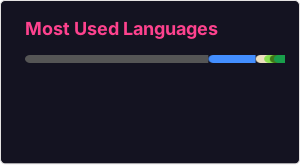
![Top Languages Card](https://github-readme-stats.vercel.app/api/top-langs/?username=user&theme=radical&layout=compact)

How can I make it so that the two cards align side by side? Something like this:

enter image description here

Any suggestions?

UPDATE:

I tried adding this but it still did not work:

<img align="center" src="https://github-readme-stats.vercel.app/api?username=hussaino03&show_icons=true&theme=radical" />
 <img align="center" src="https://github-readme-stats.vercel.app/api/top-langs/?username=hussaino03&theme=radical&layout=compact" />

enter image description here


<div style="display: flex; flex-direction: row;">
 <img class="img" src="https://github-readme-stats.vercel.app/api?username=hussaino03&show_icons=true&theme=radical" />
 <img class="img" src="https://github-readme-stats.vercel.app/api/top-langs/?username=hussaino03&theme=radical&layout=compact" />
</div>
3 Answers

Please see the CSS I added and changes to your HTML. Simply doing <img align="center" is not enough.

<div style="display: flex; flex-direction: row;">
 <img class="img" src="https://github-readme-stats.vercel.app/api?username=hussaino03&show_icons=true&theme=radical" />
 <img class="img" src="https://github-readme-stats.vercel.app/api/top-langs/?username=hussaino03&theme=radical&layout=compact" />
</div>

Inspected front-end and changed div styles to those suggested and it worked as expected. img

The difference in both box sizes annoyed also me. I tried the other proposal here but for some reason it didn't work for me(both in the same size on the same row). So, I did the following that has made them look much better, although they are not on the same line

### GitHub Stats
<div><img style="height: auto; width: 40%;" class="img" src="https://github-readme-stats.vercel.app/api?username=Tsvetoslav88&theme=radical&show_icons=true&include_all_commits=true&hide_border=true" /></div>

### GitHub Languages
<div><img style="height: auto; width: 40%;" class="img" src="https://github-readme-stats.vercel.app/api/top-langs/?username=Tsvetoslav88&theme=radical&langs_count=8&layout=compact&hide_border=true" /></div>

This is the solution that worked for me. Both images are about the same size and on the same line.

<div class='container'>
<img style="height: auto; width: 55%;" class="img" src="https://github-readme-stats.vercel.app/api?username=user&show_icons=true&theme=blue-green" />
&nbsp;
&nbsp;
<img style="height: auto; width: 40%;" class="img" src="https://github-readme-stats.vercel.app/api/top-langs/?username=user&theme=blue-green&langs_count=8&layout=compact" /></div>
</div>

img

Related