Assertion function that returns a value?

Viewed 475

I am trying to create a function like this:

function assert<T>(condition: T, msg?: string): T & asserts condition {
  if (!condition) {
    throw new Error(msg)
  }
  return condition
}

The goal is to return condition unmodified, preserving its type, but also informing the compiler that the returned value is truthy. This would allow it to be used as a standalone statement, but also unobtrusively inside an expression:

const success: bool = true
// ... some code that might set success = false
assert(success)

const element: HTMLElement = assert(document.getElementById('foo'))

Unfortunately, the above syntax does not work (playground). Is there a way to express this in TypeScript?

I can't find any official documentation on assertion functions except the Release notes for TypeScript 3.7, and those only demonstrate assertion functions that implicitly return void.

The best I can come up with is a workaround for object types only, because those can never be falsy:

function assert<T extends object>(condition: T | null | undefined, msg?: string): T {
  if (!condition) {
    throw new Error(msg)
  }
  return condition
}
3 Answers

Q: Assertion function that returns a value?

A: Not possible

It's hard to find because it's not explicitly in the docs, but we do have authoritative sources explicitly stating that assertion function implicitly return void, so the answer is no, assertion functions cannot return a value.

Authoritative sources

Typescript Github: PR #32695 Assertions in control flow analysis

An asserts return type predicate implies that the returned value is of type void, and there is no provision for returning values of other types.

Anders Hejlsberg

(this is straight from the horse's mouth; Anders Hejlsberg wrote the code so he knows!)

Typescript issue tracker: #34636 ReturnType support for assertions

This is by design, according to the PR introducing this features:

A function call is analyzed as an assertion call or never-returning call when

  1. the call occurs as a top-level expression statement, and
  2. the call specifies a single identifier or a dotted sequence of identifiers for the function name, and
  3. each identifier in the function name references an entity with an explicit type, and
  4. the function name resolves to a function type with an asserts return type or an explicit never return type annotation.

The first item states that the call must occur as a top-level statement, this means that the call can't be nested in an expression (such as a parameter to another function or in an assignment). This means that effectively, even if you could return from an assertion function, using it in a position where the return value could be use, the function would not be analyzed as an assertion but rather as a regular function call. So it is best to implicitly just say that an assertion function returns void. This is also outlined in the PR:

An asserts return type predicate implies that the returned value is of type void, and there is no provision for returning values of other types.

Titian Cernicova-Dragomir

(Titian is a contributor on the Typescript project)

Community sources

Some examples of community sources stating that return types can not be specified for assertion functions.

dev.to - Typescript Type Assertions)

Where type guards must return a boolean, assertion functions must return void

Stephan Meijer

2ality.com - TypeScript: narrowing types via type guards and assertion functions - 5.2.2

5.2.2: Assertion signature: asserts «arg» is «type»

function assertIsString(value: unknown): asserts value is string {
  if (typeof value !== 'string') {
    throw new Error(); // assertion error
  }
}

Assertion signature: asserts value is string

Result: void, exception

Axel Rauschmayer

Official docs

Sadly, I could not find an authorative answer in the docs...

Handbook: Narrowing

Talks about type assertions but does not mention assertion functions specifically.

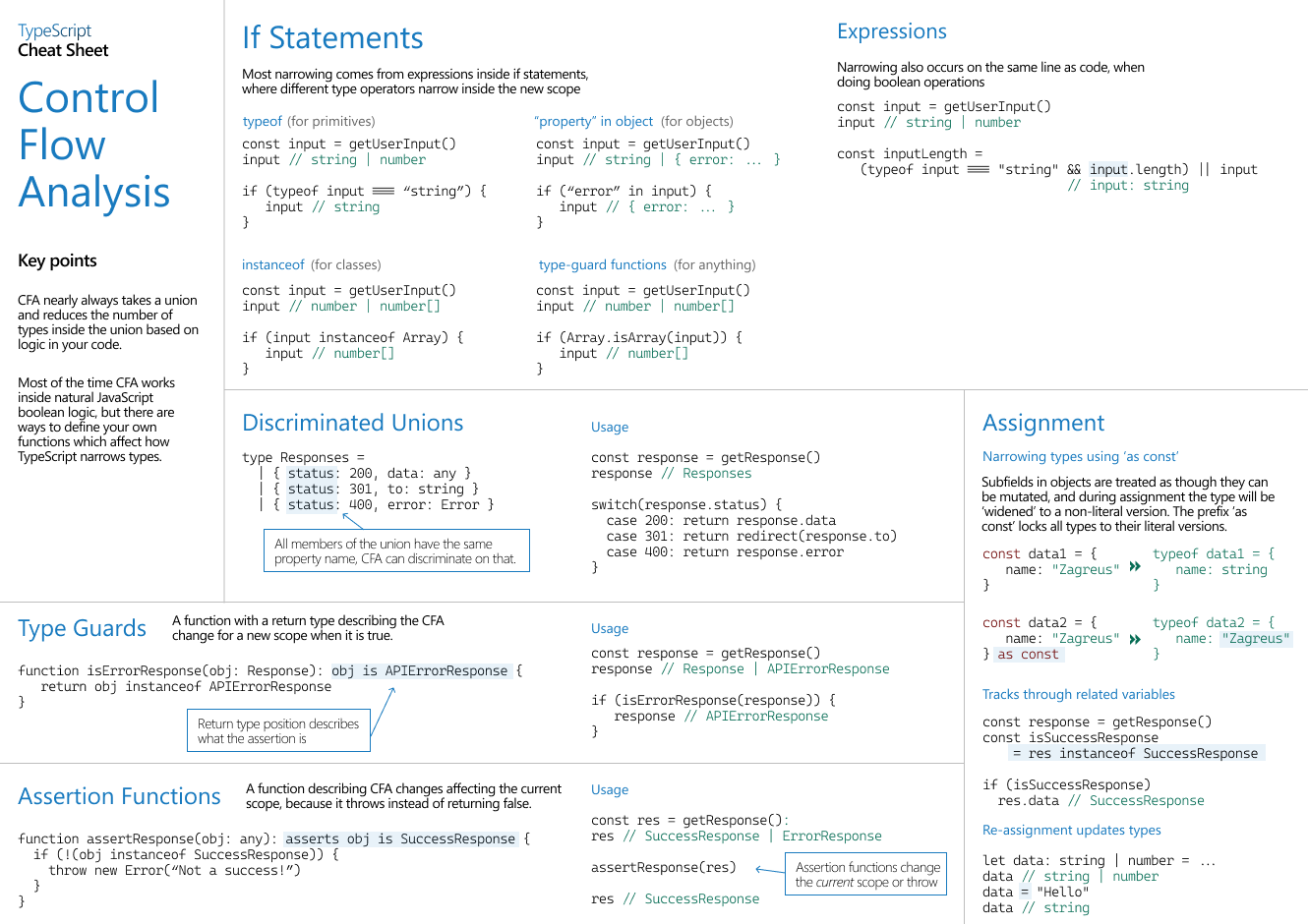
Cheat sheet: Control Flow Analysis

Mentions assertion functions. Does not show any way to specify a return type, but also does not explicitly say they cannot have one.

v3.7 Release Notes: Assertion functions

Does not explicitly mention it. But does not give any examples of assertion functions that return a value. Guard functions always implicitly return a truthy or falsy (booleany?) value and it seems Assertion functions always implicitly return void, but it's not said outright here.

Typescript Playground: Assertion functions

Does not demonstrate any assertion functions that return anything, but again does also not explicitly state that it's not possible...

You can use NonNullable<T>:

function assert<T>(condition: T, msg?: string): NonNullable<T> {
  return condition ?? error(msg);
}

// workaround for https://github.com/microsoft/TypeScript/issues/18535
function error(msg?: string): never {
  throw new Error(msg);
}

const s: string | null = null;
const n: string = assert(s);

Playground

There is a fixed, finite set of falsy values in Javascript. Some of them are not writable as literal types in Typescript, but the rest are 0, '', false, null and undefined. You can use Exclude to remove them from the type parameter T:

type Truthy<T> = Exclude<T, 0 | '' | false | null | undefined>

function checkTruthy<T>(x: T): Truthy<T> {
    // ...
}

Or as an assertion function:

function assertTruthy<T>(x: T): asserts x is Truthy<T> {
    // ...
}

Unfortunately, as the error message in your original code says, you can't write a function type annotation that does both of these. That said, there should be no need to; if the assertion function would just return its argument unchanged, you can always refactor a call to it so that it's not in an expression:

// change this
let y = assertTruthy(x) + 'foo';

// to this
assertTruthy(x);
let y = x + 'foo';

Note that Typescript isn't able to represent types like "a non-empty string" or "a non-zero number", so e.g. Truthy<string> is just the same as string and you get no benefit regardless of whether you return or assert. So using Exclude on strings or numbers only really helps if you have a union of literals like 'foo' | 'bar' | ''.

Related