
When writing a blog post, I often manually knit the document to examine the results, and the output used to be a normal html_document. However, after a recent update, manually knitting the document under a blogdown directory no longer produces the html_document output. Instead, it produces something like the following where latex formulas and figures are not displayed properly (taking the default content of an Rmd file as an example):
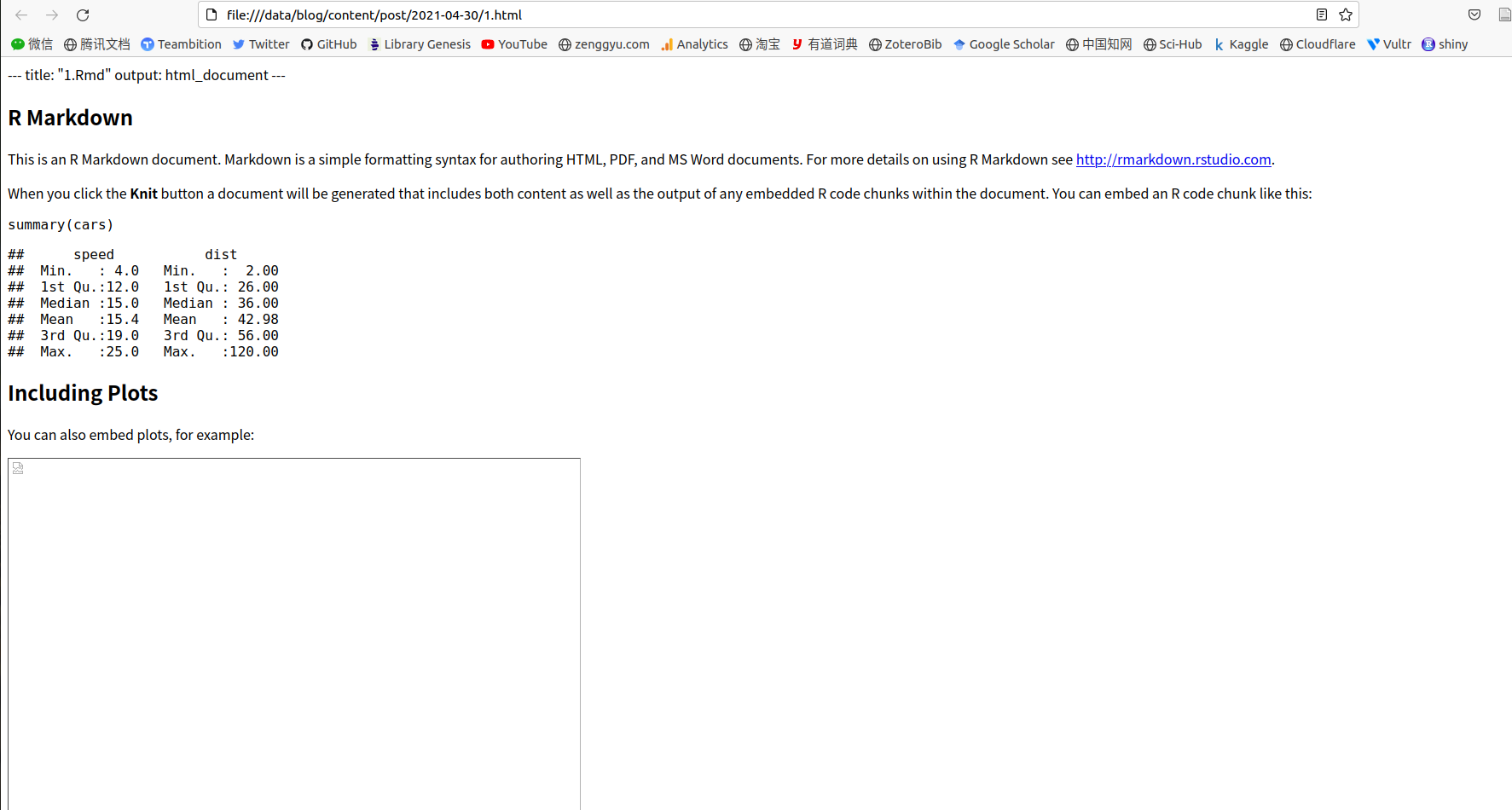
Here's the output of the "R Markdown" console in RStudio:
/usr/lib/rstudio/bin/pandoc/pandoc +RTS -K512m -RTS 1.knit.md
--to html4
--from markdown+autolink_bare_uris+tex_math_single_backslash
--output 1.html~
--lua-filter /usr/local/lib/R/site-library/bookdown/rmarkdown/lua/custom-environment.lua
--lua-filter /usr/local/lib/R/site-library/rmarkdown/rmarkdown/lua/pagebreak.lua
--lua-filter /usr/local/lib/R/site-library/rmarkdown/rmarkdown/lua/latex-div.lua
--wrap preserve -M link-citations=true
--standalone
--section-divs
--template /usr/local/lib/R/site-library/blogdown/resources/template-minimal.html
--no-highlight
--include-in-header /tmp/RtmphBPBhs/rmarkdown-str73fd791178f2.html
--mathjax
If I knit the same document outside a blogdown directory, then the resulting output is as expected:
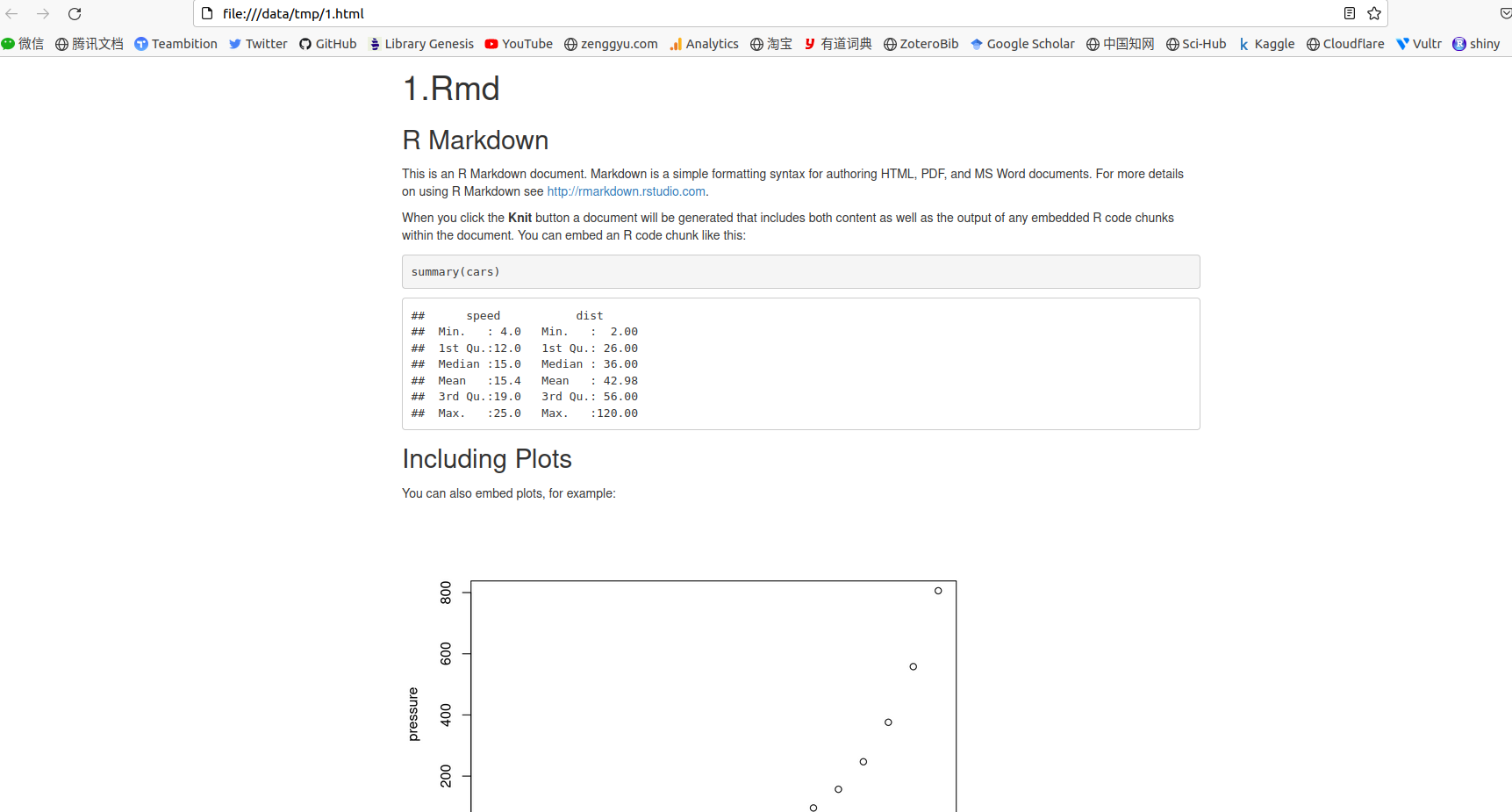
And the output of the "R Markdown" console is:
/usr/lib/rstudio/bin/pandoc/pandoc +RTS -K512m -RTS 1.knit.md
--to html4
--from markdown+autolink_bare_uris+tex_math_single_backslash
--output 1.html
--lua-filter /usr/local/lib/R/site-library/rmarkdown/rmarkdown/lua/pagebreak.lua
--lua-filter /usr/local/lib/R/site-library/rmarkdown/rmarkdown/lua/latex-div.lua
--self-contained
--variable bs3=TRUE
--standalone
--section-divs
--template /usr/local/lib/R/site-library/rmarkdown/rmd/h/default.html
--no-highlight
--variable highlightjs=1
--variable theme=bootstrap
--include-in-header /tmp/RtmpXfya1w/rmarkdown-str724a4171c407.html
--mathjax
--variable 'mathjax-url:https://mathjax.rstudio.com/latest/MathJax.js?config=TeX-AMS-MML_HTMLorMML
What happens when I click the "knit" button in RStudio? How to adjust the behaviour so that when knitting the document in a blogdown directory produces an html_output file?