How to properly setup vscode with pyside? Missing suggestions

Viewed 1883

I'm very new to pyside, qt and python. I managed to setup a project with a basic window and a push button which closes the app. My problem is, that somehow vscode won't show all properties available, even though the code runs with them fine. vscode-pyside2-problem-1.png Note how a bunch of other properties are suggested, except for the signal clicked. If I hover over clicked, it tells me clicked: Any Only during debugging, vscode tells me what clicked is: vscode-pyside2-problem-2.png Current setup:
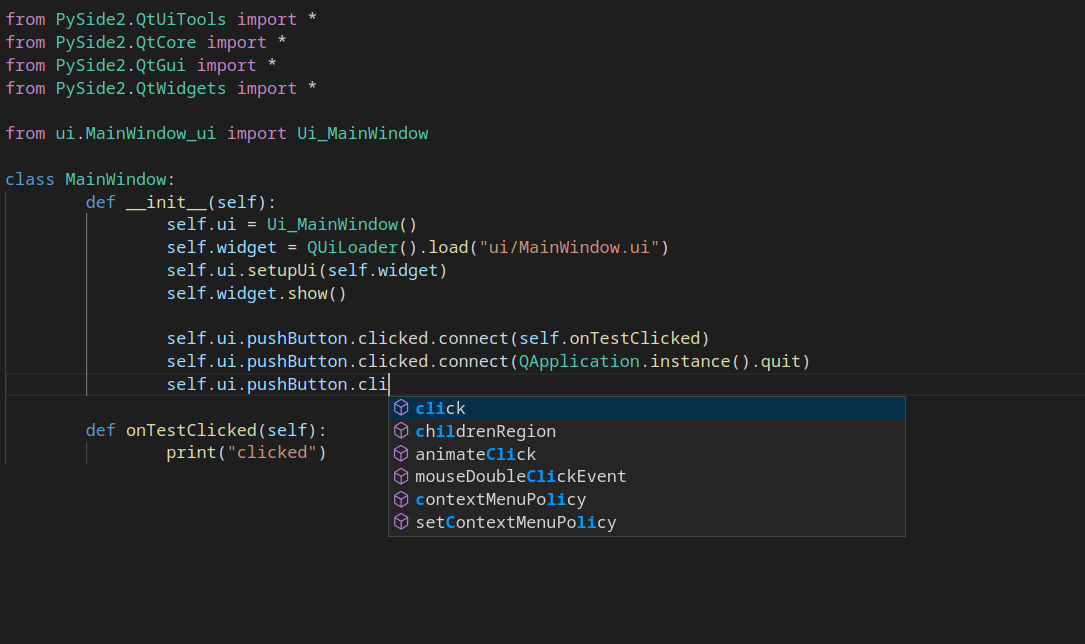
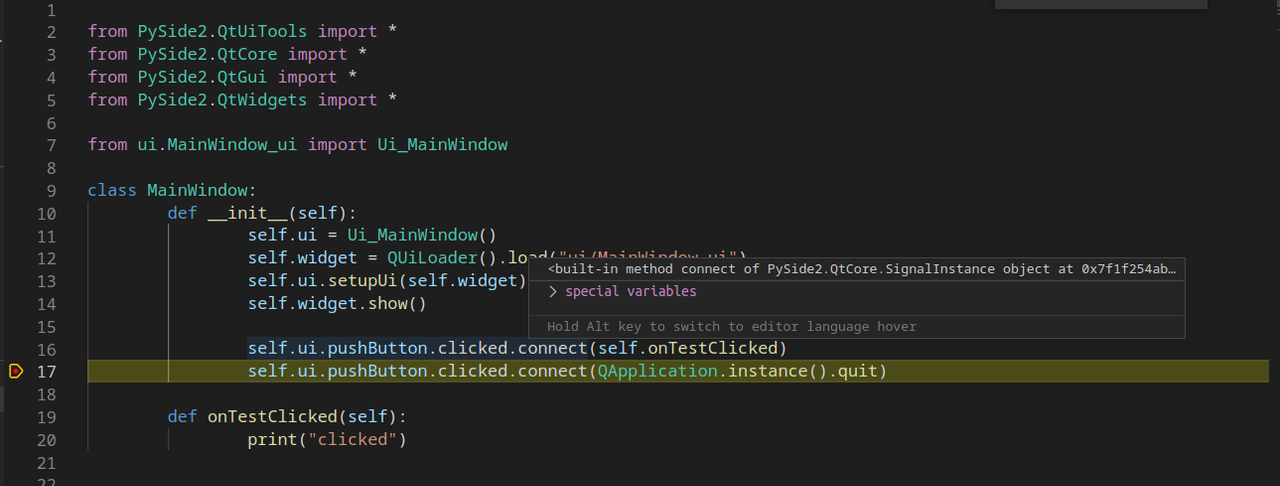
  • OS: Linux
  • Virtualenv with pyside2 installed
  • Using ms-python.python and ms-python.vscode-pylance
  • ui/MainWindow.ui file and corresponding generated ui/MainWindow_ui.ui file with pyside2-uic
3 Answers

You can generate the stubs manually by running

pyside6-genpyi all

PySide2 have the same tools, it's not just for PySide6.

I use PDM to handle my project, with the last one I execute:

pdm run pyside6-genpyi all

And PyLance detect all my stubs:

enter image description here

If you got error with the Signal, it's because Qt/PySide do some magic tricks and convert Signal to SignalInstance. My solution is to cast SignalInstance to get to right hint.

from typing import cast
from PySide6.QtCore import Signal, SignalInstance

class ConnectionPanel(QtWidgets.QWidget):
    connected = cast(SignalInstance, Signal())
    disconnected = cast(SignalInstance, Signal())

Pylance tries to use stub files(which you can traverse with Go to definition) of PySide6 library to offer intellisense features. According to Qt docs clicked signal should be defined in QAbstractButton class but in type definitions (stubs) we can't see this signal definitions. If you look closely PyCharm gathers it from QAbstractButton class in your linked video but Pylance in Vs Code searches it in QPushButton.

This was a known issue in Pylance since PySide2 but according to the Pylance repo this may originate from Qt for Python's incorrect type definitions:

Libraries that have typing that's either incorrect or doesn't work well with PyLance. Best and maybe most known example I have is PySide2 (but see issues with other libraries in earlier posts): tons(!) of errors for correct, working code, which makes spotting real errors difficult. The same code in PyQt5 (which is basically a twin sibling to PySide2) doesn't raise any complaints from PyLance, so I'm assuming the problem is with PySide2's typing. While I'm aware that neither PySide2's typing nor PyLance's analysis results are necessarily incorrect, fact is that most of the reported errors should not be present, so for sake of simplicity I'll just call it incorrect.

The reason it can access at runtime is; it's created instance over shiboken QObject type I guess. I don't have any workarounds but it doesn't bother me because I prefer following official Qt documentation when looking for which signals available in a class definition.

EDIT: There was a resolved bug report on this which is the reason PyCharm able to handle auto-completion. Opening another on VS Code should help.

Since I had this exact same problem, I found this very informative comment on a PySide bug report: https://bugreports.qt.io/browse/PYSIDE-1603

Our stubs are auto-generated by introspection, signals are not included. At the moment, we need to discuss how we should support signals.

So, not a bug, just a missing feature.

Related