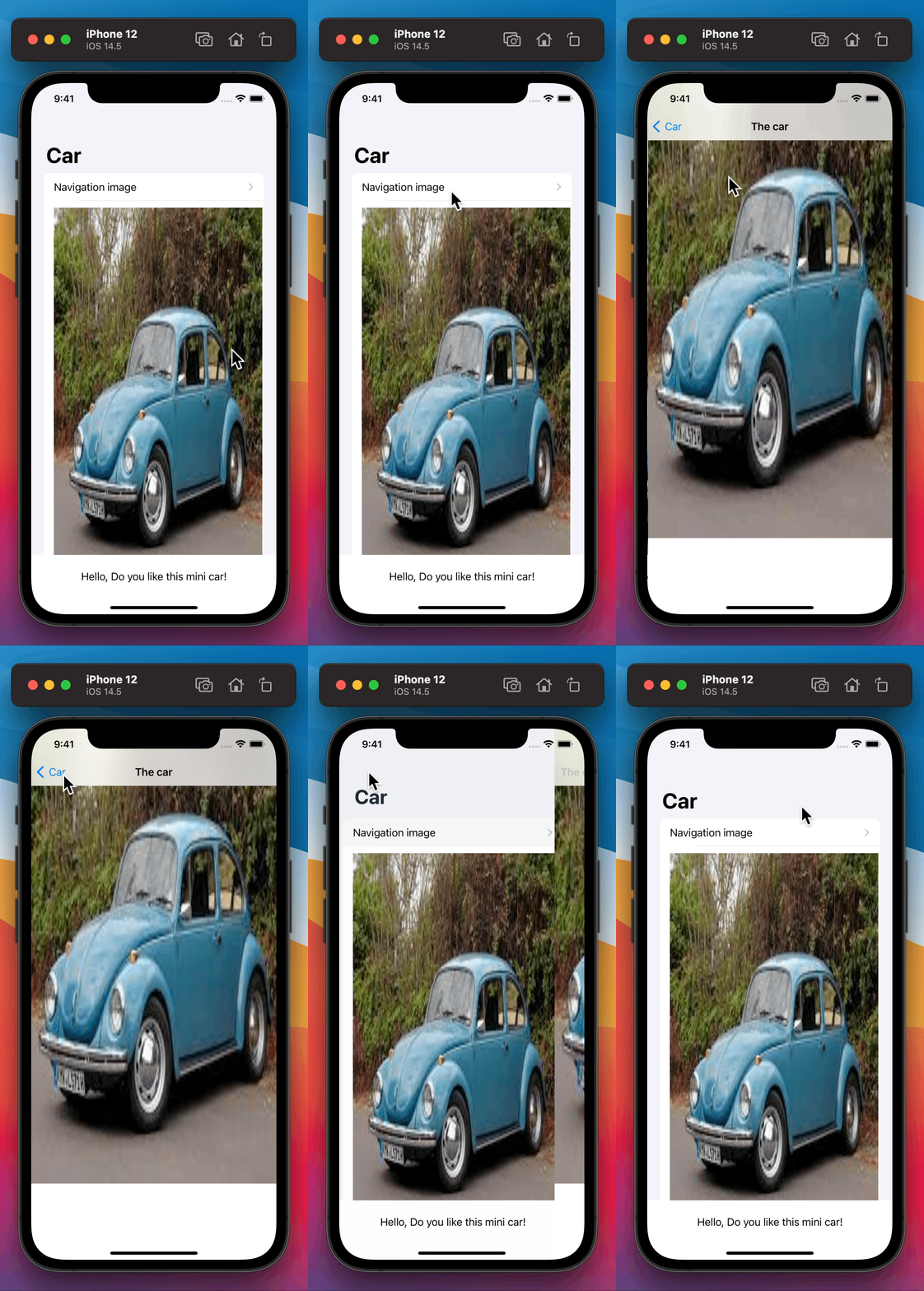
I updated my app to iOS 14.5 and suddenly a navigation problem showed up. I didn't had this issue in iOS 14.4 or lower.
I made a small new program to show the issue. When I clicked on the navigationLink (without scrolling down) the navigation bar in the second view isn't visible and the pictures will be shown in the top. When I scroll down a little the navigation bar is directly visible in the top of the second view. How can I move to the second view without showing the navigation bar directly at the top? It should only visible when I scrolling down.
Please could you give me a help on this?
Thanks in advance!
import SwiftUI

struct ContentView: View {

    var body: some View {
        GeometryReader{ geo in
        NavigationView {
            VStack{
                List {
                    NavigationLink(destination: navigationbarIssue()){
                        Text("Navigation image")
                    }
                    Image("car")
                        .resizable().frame(width: geo.size.width * 0.85, height: 600, alignment: .center)
                        .scaledToFill()
                    }

                Text("Hello, Do you like this mini car!")
                    .padding()
                }
            .navigationTitle("Car")
            }
        }
    }
}

struct ContentView_Previews: PreviewProvider {
    static var previews: some View {
        ContentView()
    }
}

struct navigationbarIssue: View {
    var body: some View {
        GeometryReader { geo in
            ScrollView {
                VStack{
                    Image("car")
                       .resizable().frame(width: geo.size.width * 1.11, height: geo.size.height * 1.11)
                       .edgesIgnoringSafeArea([.top, .bottom])
                       .offset(x: -20, y: -166)
                       .aspectRatio(contentMode: .fit)
                    Text("Question: What's the topspeed of this mini car?")
                        .padding()
                }
            }
        }
    }
}

I added two pictures: First one: parent view - without navigationbar pop out. Second one: parent view - navigationbar pop out (scroll down). I like to have always only the car picture on the top (on the edge) and when you scroll down the navigationbar appears.
[![Navigationbar issue][1]](https://i.stack.imgur.com/PfKq5.gif)