
I need to execute something when the user drops an item. The ItemTouchHelper seems to only have calls for onMove and onMoved which happen regardless of whether the user is actually done moving the item. How do I know when the user has finished moving an item? Ie, they have released their finger and dropped the item back into the recyclerView?
3 Answers
You can override onSelectedChanged() callback of the implementation of ItemTouchHelper.Callback class, and check actionState value with a switch case that can be one of (ACTION_STATE_DRAG, ACTION_STATE_SWIPE, & ACTION_STATE_IDLE).
ACTION_STATE_IDLE is what you're looking for, it will be triggered when the swipe/drag actions are over and the user left their finger off the screen
You can use a boolean to figure out whether it's swipe or drag as below.
private ItemTouchHelper createHelperCallback() {
    return new ItemTouchHelper(new ItemTouchHelper.Callback() {

        boolean isSwiped = false;

        @Override
        public int getMovementFlags(@NonNull RecyclerView recyclerView, @NonNull RecyclerView.ViewHolder viewHolder) {
            return 0;
        }

        @Override
        public boolean onMove(@NonNull RecyclerView recyclerView, @NonNull RecyclerView.ViewHolder viewHolder, @NonNull RecyclerView.ViewHolder target) {
            return false;
        }

        @Override
        public void onSwiped(@NonNull RecyclerView.ViewHolder viewHolder, int direction) {
        }

        @Override
        public void onSelectedChanged(@Nullable RecyclerView.ViewHolder viewHolder, int actionState) {

            switch (actionState) {

                case ItemTouchHelper.ACTION_STATE_DRAG:
                    // the user is dragging an item and didn't lift their finger off yet
                   isSwiped = false;
                   break;

                case ItemTouchHelper.ACTION_STATE_SWIPE:
                    // the user is swiping an item and didn't lift their finger off yet
                    isSwiped = true;
                    break;

                case ItemTouchHelper.ACTION_STATE_IDLE:
                    // the user just dropped the item (after dragging it), and lift their finger off.

                    if (isSwiped) // The user used onSwiped()
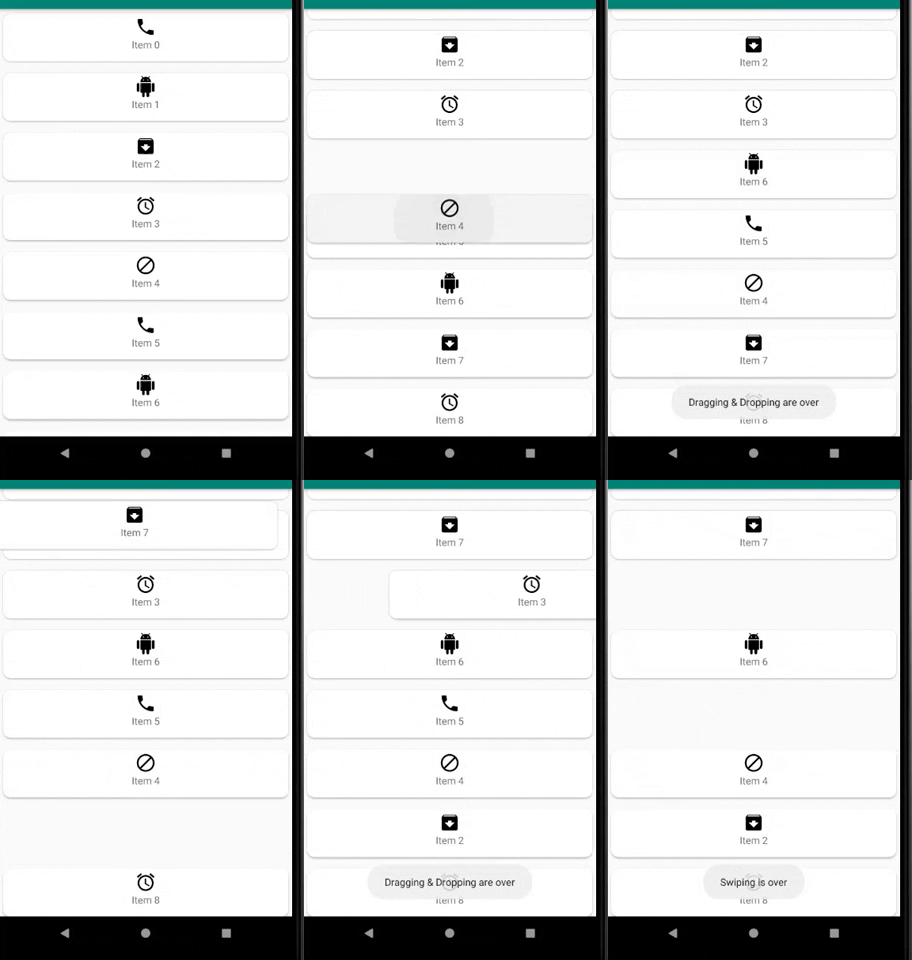
                        Toast.makeText(MainActivity.this, "Swiping is over", Toast.LENGTH_SHORT).show();

                    else // The user used onMove()
                        Toast.makeText(MainActivity.this, "Dragging & Dropping are over", Toast.LENGTH_SHORT).show();
                    isSwiped = false;

            }
        }

    });
}
Then use it on your RecyclerView
createHelperCallback().attachToRecyclerView(recyclerView);
Preview
Easy. Just override onClearView():
@Override
public void clearView(@NonNull RecyclerView recyclerView, @NonNull RecyclerView.ViewHolder viewHolder) {    //called when you dropped the item
    super.clearView(recyclerView, viewHolder);

    Toast.makeText(recyclerView.getContext(), "Item dropped on position: " + viewHolder.getAdapterPosition(), Toast.LENGTH_SHORT).show();
}
You can also override getAnimationDuration(), it calls before onSelectedChanged() (just when the user's finger is up) but you can't access viewHolder in this function.
Related