How to make Mapbox load on gatsby site? Build succeeds but map not displaying, despite working in dev mode

Viewed 905

I'm trying to use a Mapbox map on a gatsby website. I used the code from their react Mapbox tutorial: https://docs.mapbox.com/help/tutorials/use-mapbox-gl-js-with-react/ and put it into a map component.

I call the map component on the footer and it works perfectly during development mode, but when I run gatsby build and then gatsby serve it refuses to show the map despite showing the container :

https://postimg.cc/mPcRfYhV

I've tried the other suggestion which is from the docs too, that is to use in gatsby-node.js

exports.onCreateWebpackConfig = ({ stage, loaders, actions }) => {
  if (stage === "build-html") {
    actions.setWebpackConfig({
      module: {
        rules: [
          {
            test: /@mapbox|mapbox-gl/,
            use: loaders.null(),
          },
        ],
      },
    })
  }
}

for the test property I've tried using /mapbox|@mapbox|mapbox-gl|mapboxgl/ but nothing seems to make it work like it does in dev mode.

any ideas?

The component:

import React, { useEffect, useRef, useState } from "react";
import mapboxgl from 'mapbox-gl';
import "mapbox-gl/dist/mapbox-gl.css";

const styles = {
  width: "220px",
  height: '130px',
  margin: '2em 0'
};


const Map = () => {


  const [map, setMap] = useState(null);
  const mapContainer = useRef(null);

  useEffect(() => {

    mapboxgl.accessToken = process.env.MY_KEY
    const initializeMap = ({ setMap, mapContainer }) => {
      const map = new mapboxgl.Map({
        container: mapContainer.current,
        style: "mapbox://styles/mapbox/streets-v11", 
        center: [-6.2603, 53.3498],
        zoom: 9
      });

      map.on("load", () => {
        setMap(map);
        map.resize();
      });
       new mapboxgl.Marker({color:'#1E3873'}).setLngLat([-6.2603, 53.3498]).addTo(map)

    };

    if (!map) initializeMap({ setMap, mapContainer });
  }, [map]);


  return <div ref={el => (mapContainer.current = el)} style={styles} />;


};

export default Map;

The Map component is called on the footer component in a normal way by just importing the component and using <Map />.

Picture of it working fine when using gatsby develop

Screenshot-2020-12-21-at-20-52-33.png

Picture of it not working when using gatsby build gatsby serve
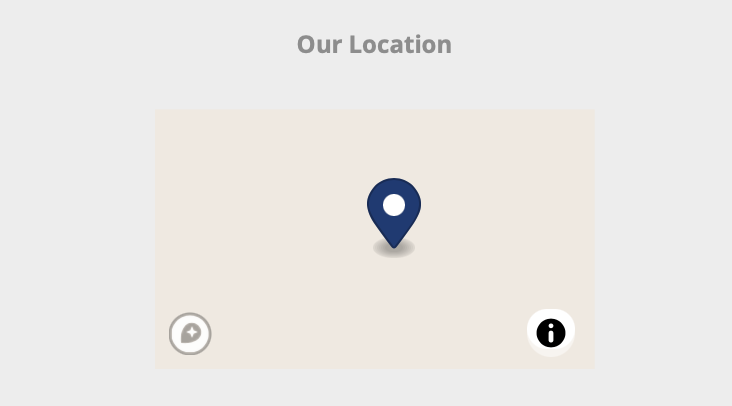
Screenshot-2020-12-21-at-11-58-19.png

SOLUTION EDIT: for some reason mapbox-gl 2.0 doesn't work, or I can't get it to work. Someone else had the same issue and suggested what worked for them which was to use mapbox-gl 1.13.0 . I tried it and it works.

npm uninstall mapbox-gl

npm i mapbox-gl@1.13.0

Leave the other configurations the same and it should work.

3 Answers

For some reason mapbox-gl 2.0 doesn't work properly. Someone else had the same issue and suggested what worked for them which was to use mapbox-gl 1.13.0 . I tried it and it works.

npm uninstall mapbox-gl

npm i mapbox-gl@1.13.0

Remember to use the following code in gatsby-node.js :

exports.onCreateWebpackConfig = ({ stage, loaders, actions }) => {
  if (stage === "build-html") {
    actions.setWebpackConfig({
      module: {
        rules: [
          {
            test: /@mapbox|mapbox-gl/,
            use: loaders.null(),
          },
        ],
      },
    })
  }
}

Among the configuration, you are missing some stuff, because in the guide, there is a class-based component and you are using a functional one, change it to:

import React, { useEffect, useRef, useState } from "react";
import mapboxgl from 'mapbox-gl';
import "mapbox-gl/dist/mapbox-gl.css";

const styles = {
  width: "220px",
  height: '130px',
  margin: '2em 0'
};


const Map = () => {


  const [map, setMap] = useState(null);
  const mapContainer = useRef(null);

  useEffect(() => {

    mapboxgl.accessToken = process.env.MY_KEY
    const initializeMap = ({ setMap, mapContainer }) => {
      const map = new mapboxgl.Map({
        container: mapContainer.current,
        style: "mapbox://styles/mapbox/streets-v11", 
        center: [-6.2603, 53.3498],
        zoom: 9
      });

      map.on("load", () => {
        setMap(map);
        map.resize();
      });
       new mapboxgl.Marker({color:'#1E3873'}).setLngLat([-6.2603, 53.3498]).addTo(map)

    };

    if (!map) initializeMap({ setMap, mapContainer });

   return () => {
      map.remove()
   }
  }, []);


  return <div ref={mapContainer} style={styles} />;


};

export default Map;

Notice the ref and the map initializer. I think that it's not properly set when running a gatsby build and, since you have passing it as a reference in el => (mapContainer.current = el) it's not being rehydrated. React guides should differ a little bit when dealing with Gatsby due to their SSR (Server-Side Rendering).

Regarding the webpack issue.

Try:

exports.onCreateWebpackConfig = ({ stage, loaders, actions }) => {
  if (stage === "build-html") {
    actions.setWebpackConfig({
      module: {
        rules: [
          {
            test: /mapbox-gl/,
            use: loaders.null(),
          },
        ],
      },
    })
  }
}

Or:

exports.onCreateWebpackConfig = ({ stage, loaders, actions }) => {
  if (stage === "build-html") {
    actions.setWebpackConfig({
      module: {
        rules: [
          {
            test: /@mapbox/,
            use: loaders.null(),
          },
        ],
      },
    })
  }
}

Or ignoring both with:

exports.onCreateWebpackConfig = ({ stage, loaders, actions }) => {
  if (stage === "build-html") {
    actions.setWebpackConfig({
      module: {
        rules: [
          {
            test: /@mapbox/,
            use: loaders.null(),
          },
          {
            test: /mapbox-gl/,
            use: loaders.null(),
          },
        ],
      },
    })
  }
}

Keep in mind that the testing rule is a regular expression (that's why is written between slashes) that should match a folder inside node_modules so it should be an exact path.

This is a needed workaround for every dependency that uses window, or other global objects as a dev-dependency for themselves. This is because, the interpreter when running gatsby develop is the browser (browser-side rendering), where there's a window available and while running gatsby build, the code is compiled in the server (Node), where there isn't a window obviously.

The snippet above adds a null loader during the webpack's transpilation, or in other words, forces webpack to ignore the module to avoid a code-breaking.

Related