Installed python package with `pip3`, but when I call it I get "No module named X"

Viewed 914

I installed a module like this:

> pip3.8 install mssql-cli

but when I run it I get:

> 3002 ~$ mssql-cli -S 192.168.7.50 -d test-db
/usr/bin/python: No module named mssqlcli

I think mssql-cli is defaulting to the system--default python (2.x). How do I tell it to use python3.8?

Yes, I'm on a Mac. Python 3.8 is installed via Homebrew.

Answering questions from comments:

What does pip3.8 --version say?

3044 ~$ pip3.8 --version
pip 20.1.1 from /usr/local/lib/python3.8/site-packages/pip (python 3.8)

And check that which python3.8 points to /usr/local/lib/python3.8/python?

Not exactly. Is that bad?

3048 ~$ ll `which python3.8`
lrwxr-xr-x  1 grantb  admin  40 Jul 24 10:57 /usr/local/bin/python3.8@ -> ../Cellar/python@3.8/3.8.5/bin/python3.8
2 Answers

The issue is that if you look at the actual mssql-cli file it runs it using the python command. This (on my Mac) defaults to the 2.7 python. There are three solutions:

  1. Add a line in your .bashrc or .bash_profile that says alias python='python3.8'. Note that this will override your python2.7 (which is obsolete anyway).
  2. Edit the last line of the file that comes up with which mssql-cli to say python3.8 -m mssqlcli.main "$@". This has the disadvantage that you aren't really supposed to edit this, and that you'd need to do it every time you update this package, but it does work.
  3. Run each mssql-cli command with the equivalent python3.8 -m mssqlcli.main.

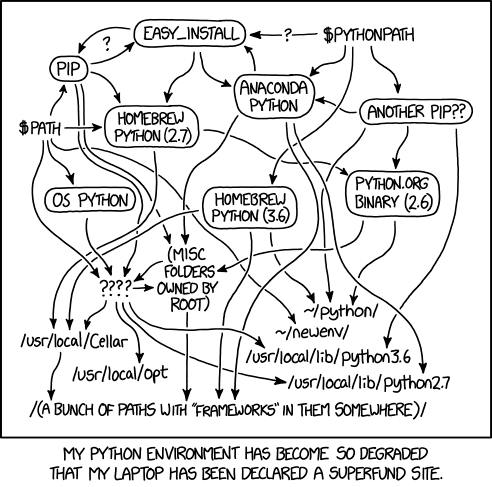
Yet another brave soul caught up in the tangled web of installing Python on a Mac.

There really is an XKCD for everything.

Your problem is that homebrew installed a version of Python in /usr/local/Cellar/python@3.8/3.8.5/bin/python3.8. Pip3.8, on the other hand, thinks Python is at /usr/local/lib/python3.8/python, so it installs its packages in that python's site-packages directory.

If you already had python with pip installed when you installed it from the Homebrew bottle, it won't overwrite the links you already had. One solution is to reinstall pip through the correct python.

python3.8 -m pip install -U --force-reinstall pip

This should force a reinstall of pip, and since python3.8 points to Homebrew's Python, it should install pip and pip3 as pointing to that python.

Related