VS2019 : Error encountered while pushing to the remote repository: Git failed with a fatal error. unable to access

Viewed 6391

Today my visual studio 2019 team explorer github push get below error.
I have no idea how to fix this error.

error message :

Pushing master
Error encountered while pushing to the remote repository: Git failed with a fatal error.
unable to access 'https://github.com/xxxxxxx.git': error setting certificate verify locations:
  CAfile: c:/program files (x86)/microsoft visual studio/2019/community/common7/ide/commonextensions/microsoft/teamfoundation/team explorer/Git/mingw32/bin/curl-ca-bundle.crt
  CApath: none
Pushing to https://github.com/xxxxxxx.git
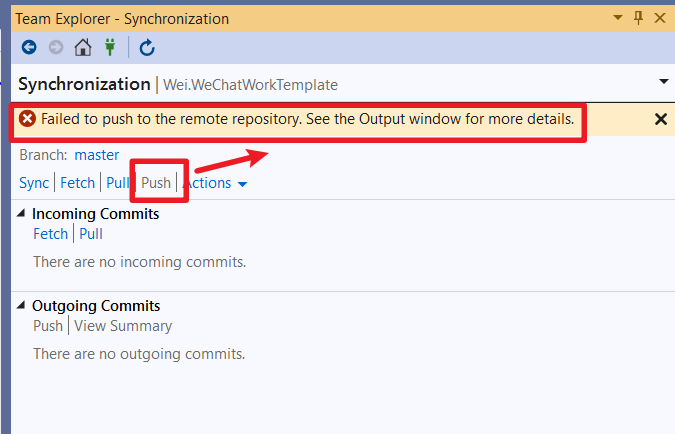

image-20200820161839927

image-20200820161904353

my git version :

$ git --version
git version 2.17.1.windows.2

my C:\ProgramData\Git\config :

[core]
    symlinks = false
    autocrlf = true
    fscache = true
[color]
    diff = auto
    status = auto
    branch = auto
    interactive = true
[help]
    format = html
[rebase]
    autosquash = true

update :

I checked no file at C:\program files (x86)\microsoft visual studio\2019\community\common7\ide\commonextensions\microsoft\teamfoundation\team explorer\Git\mingw32\bin\curl-ca-bundle.crt


2 Answers

In case you encounter this error after you uninstalled "Git for Windows", make sure you delete the folder "C:\Program Files\Git" manually. The uninstall process leaves a "gitconfig" file in "C:\Program Files\Git\etc" that is picked up by Visual Studio and is causing issues in conjunction with the "OpenSSL" value in the "Cryptographic network provider" setting. As a workaround, it is also possible to change the value to "Secure Channel" instead.

Visual Studio Git Global Settings

follow this page fatal: unable to access curl-ca-bundle.crt · Issue #4836 · desktop/desktop

  1. I found curl-ca-bundle.crt at C:\Program Files (x86)\Git\bin\curl-ca-bundle.crt
  2. copy it to C:\program files (x86)\microsoft visual studio\2019\community\common7\ide\commonextensions\microsoft\teamfoundation\team explorer\Git\mingw32\bin\curl-ca-bundle.crt
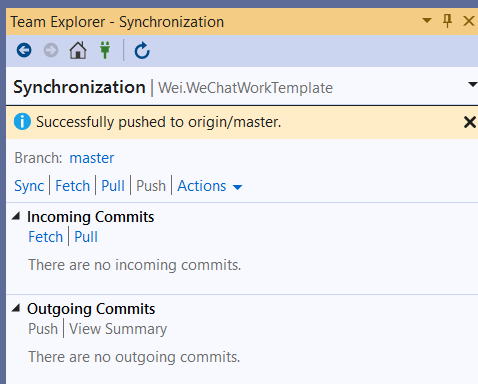
  3. try to push in vs2019 and it's work.

image-20200820163528852

image-20200820163726502

Related