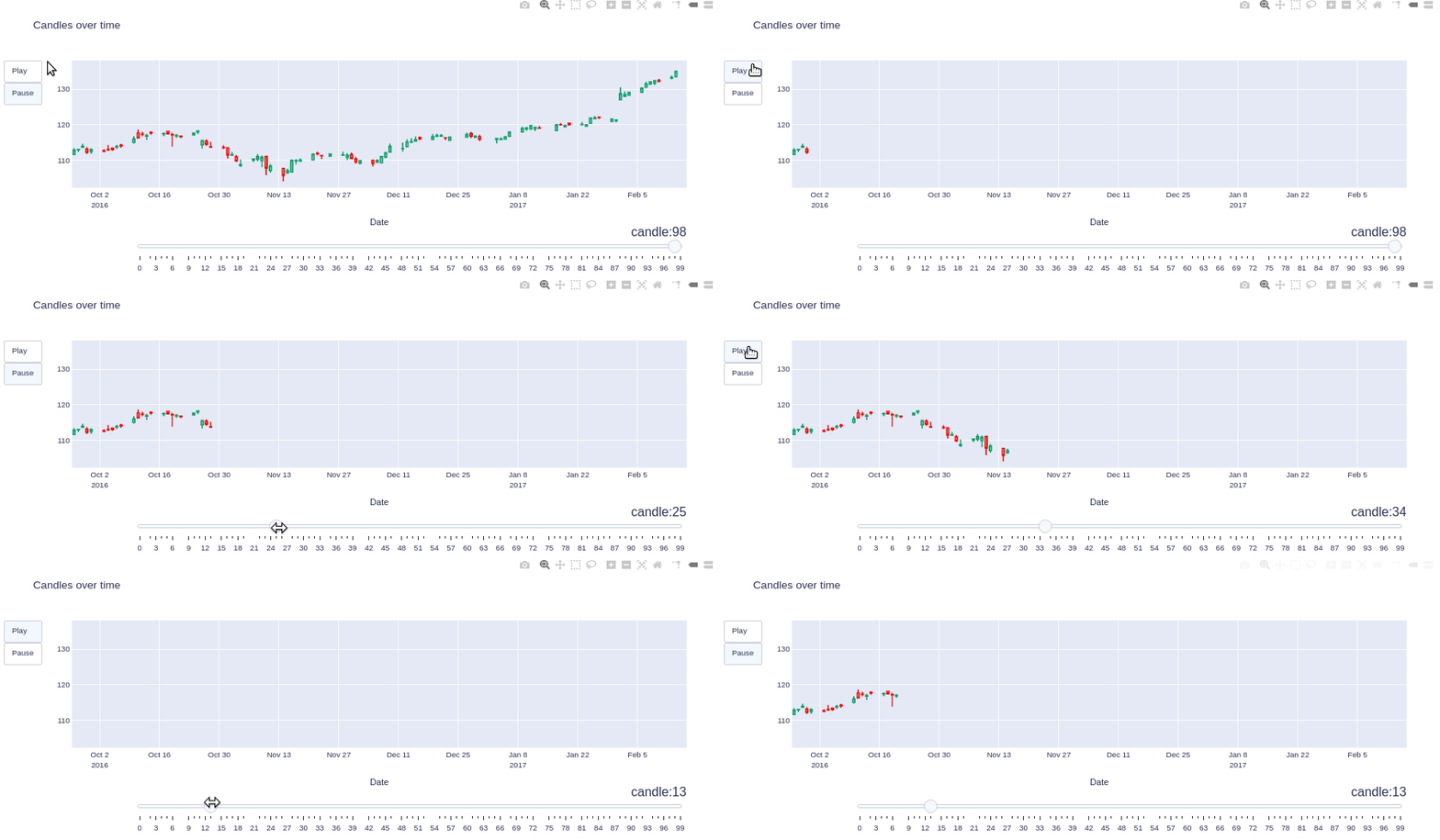
Esteemed,
I can make plots with candlestick from plotly. However, inside a loop, how to make these figures not be created one below the other, but to be all in one figure? Creating an animation effect. See the example where I plot candles with a window of 5 days ahead, successively, going through the entire DataFrame.
import plotly.graph_objects as go
import pandas as pd

df = pd.read_csv('https://raw.githubusercontent.com/plotly/datasets/master/finance-charts-apple.csv')

#df
#i         Date   AAPL.Open   AAPL.High    AAPL.Low  AAPL.Close  AAPL.Volume  \
#0    2015-02-17  127.489998  128.880005  126.919998  127.830002     63152400
#1    2015-02-18  127.629997  128.779999  127.449997  128.720001     44891700
#....

for index, row in df.iterrows():

    FiveDaysBlock = df.iloc[index:(index+5),]

    fig = go.Figure(data=[go.Candlestick(
    x=FiveDaysBlock['Date'],
    open=FiveDaysBlock['AAPL.Open'], high=FiveDaysBlock['AAPL.High'],
    low=FiveDaysBlock['AAPL.Low'], close=FiveDaysBlock['AAPL.Close']
    )])
    fig.update_layout(xaxis_rangeslider_visible=False)
    fig.update_layout(autosize=False,width=700, height=250, margin=dict( l=1,r=1,b=20,  t=20, pad=2 ) )
    fig.update_xaxes(rangebreaks=[dict(bounds=["sat", "mon"])])
    fig.show()
See how the figure is generated under the other
Thank you,