
I am creating a big sequence diagram in Azure Devops wiki, as soon as the number of nodes and interactions increase in Mermaid diagram, it is becoming difficult to view. is there a possibility to fix the diagram size with scroll bars?
3 Answers
I follow this temporarily way until MS upgrades the Mermaid:
- create a diagram using Mermaid live editor and use the required features (such as custom font size, padding, etc)
sequenceDiagram
    %%{init: {'theme': 'default', 'sequence':{'actorMargin': 15, 'height': 130, 'diagramMarginX': 50, 'diagramMarginY': 10, 'messageFontWeight': 'bold', 'actorFontSize': 26, 'actorFontWeight': 800, 'noteFontSize': 26, 'noteFontWeight': 800, 'messageFontSize': 26, 'messageFontWeight': 800}}}%%
    participant A01
    participant A02
    participant A03
    participant A04
    participant A05
    participant A06
    participant A07
    participant A08
    participant A09
    participant A10

    A01 ->> A02: aa
    A02 ->> A03: bb
    A03 ->> A04: bb
    A04 ->> A05: bb
    A05 ->> A06: bb
    A06 ->> A07: bb
    A07 ->> A08: bb
    A08 ->> A09: bb
    A09 ->> A10: bb
put this diagram to wiki page
create image using Mermaid live editor (see 'Link to Image' button) and put it to wiki page too
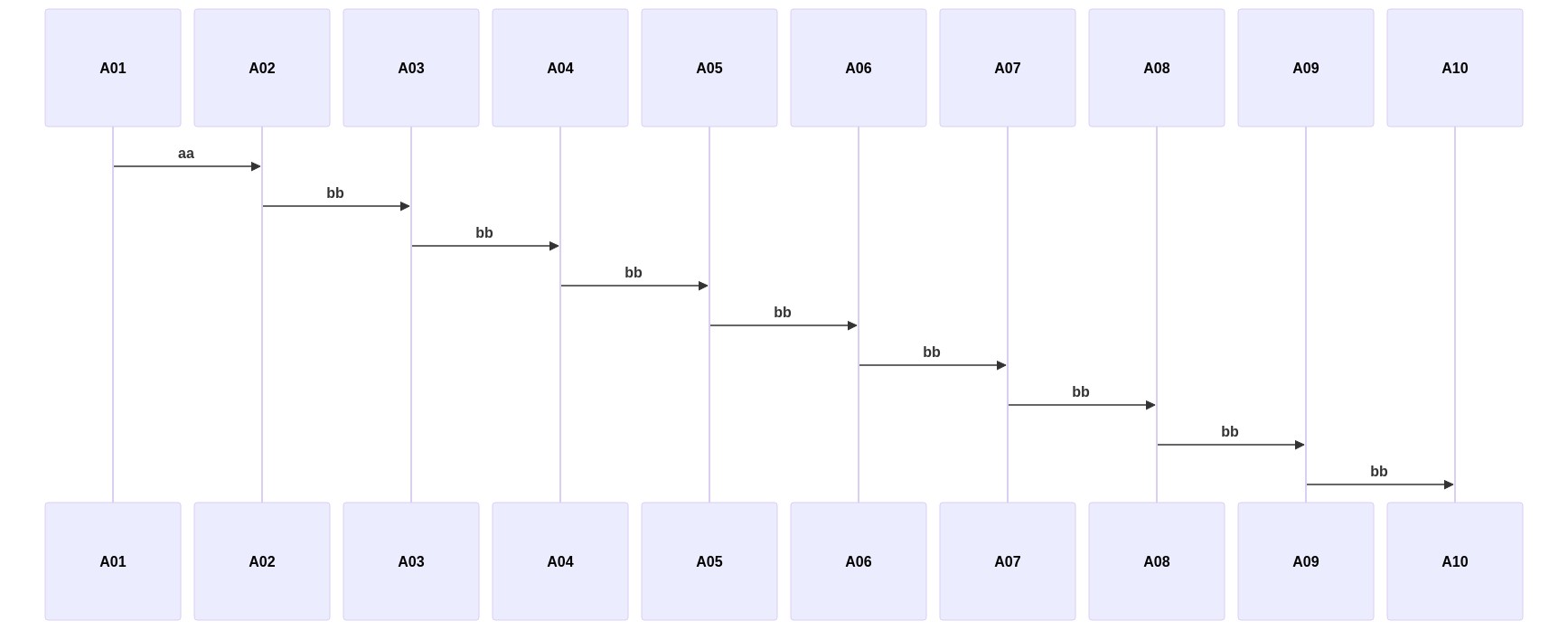
As a result get the next wiki page:
# Sequence diagram
## Image

## Origin diagram
:::mermaid
sequenceDiagram
%%{init: {'theme': 'default', 'sequence':{'actorMargin': 15, 'height': 130, 'diagramMarginX': 50, 'diagramMarginY': 10, 'messageFontWeight': 'bold', 'actorFontSize': 26, 'actorFontWeight': 800, 'noteFontSize': 26, 'noteFontWeight': 800, 'messageFontSize': 26, 'messageFontWeight': 800}}}%%
participant A01
participant A02
participant A03
participant A04
participant A05
participant A06
participant A07
participant A08
participant A09
participant A10
A01 ->> A02: aa
A02 ->> A03: bb
A03 ->> A04: bb
A04 ->> A05: bb
A05 ->> A06: bb
A06 ->> A07: bb
A07 ->> A08: bb
A08 ->> A09: bb
A09 ->> A10: bb
:::
I can understand the inconvenience this brings to you. As the content increases, the size of the content becomes smaller, which is not convenient for viewing. But as far as I know it is currently impossible to fix the diagram size with scroll bars.
In addition , styling of a sequence diagram is done by defining a number of css classes. During rendering these classes are extracted from the file located at src/themes/sequence.scss. This is as designed ,We can’t modify it directly.
You could add your request for this feature on our UserVoice site, which is our main forum for product suggestions. After suggest raised, you can vote and add your comments for this feedback. The product team would provide the updates if they view it. Thank you for helping us build a better Azure DevOps.

You can allow the diagram to render at full width in an Azure DevOps wiki by setting useMaxWidth to false:
::: mermaid
sequenceDiagram
    %%{init: {'sequence':{'useMaxWidth': false}}}%%
Related