How may I insert an image from my Github repository in my Google Colab notebook?

Viewed 1519

I have an image in my Github repository that I would like to upload and include as a Text Cell in my Google Colab Notebook. I am using the following command:

![picture](https://github.com/ivonnics/Machine-Learning/blob/master/Tabla%20Confussion%20Matrix.png)

But what I get is the following:

picture

Is anyone aware of a solution or alternative to directly upload the requested image FROM MY GITHUB into my Notebook without intermediate steps? Thanking you in advance...
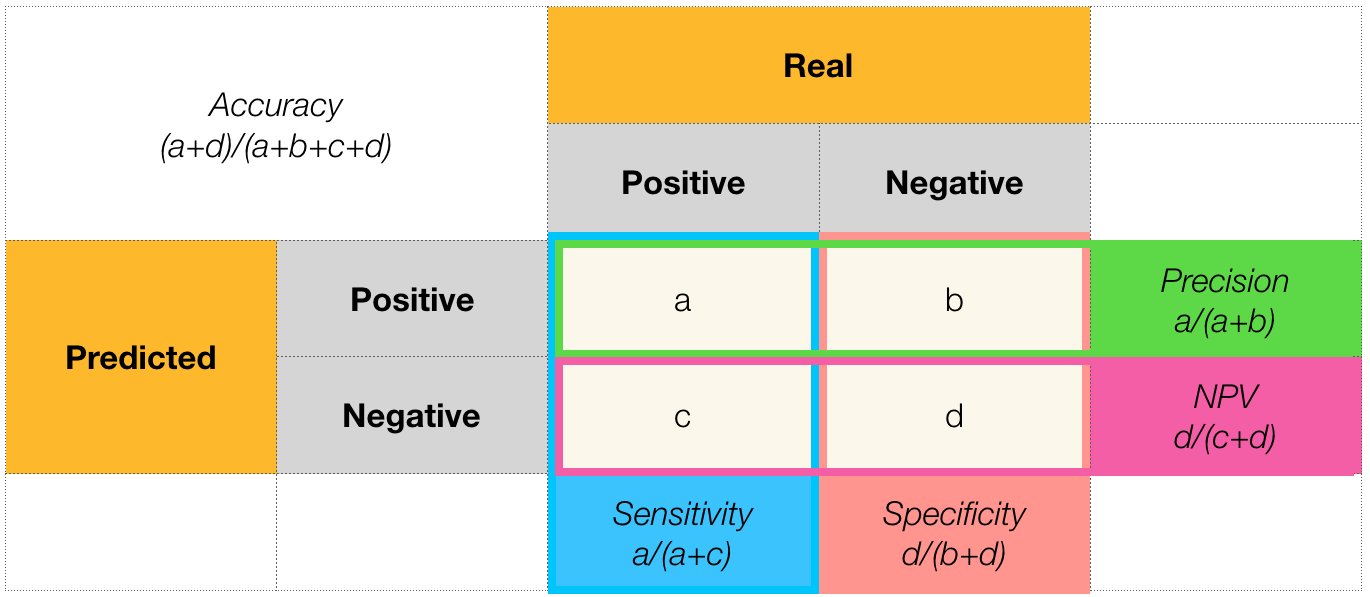
4 Answers

You need to change from

github.com

To

raw.githubusercontent.com

So, your image would be

![](https://raw.githubusercontent.com/ivonnics/Machine-Learning/master/Tabla%20Confussion%20Matrix.png)

As displayed here.

  1. Go to Github
  2. Go to your Image
  3. Copy the URL
  4. Convert the URL in two steps: a. Change: /github.com/ to raw.githubusercontent.com b. Remove "/blob/" from the URL
  5. Now in Colab's Text paste the edited URL inside the format: You will get an image displayed.

Try using !wget https://your.link.png to download the file, and then use the picture code like you showed above.

What worked for me:

  1. Go to GitHub (to the place where the image is).
  2. Click on the image with the right button.
  3. Select 'Copy Image Address'.
  4. Go to your Google Colab notebook.
  5. Write ![]({link}), where {link} is the image address you copied in Step 3 (you can just paste the link).
Related