
Every guide that I see say to do something with the web.config file in Azure. However, no matter how much I Google, there is nowhere to be found the steps that I need to take to find the web.config file. Your help will be highly appreciated :)
1 Answers
There are a few scenarios here. First: when you run on an App Service there is a web.config file. As David Makagon said, it's not accessible through the portal. By default, app services have Kudu available. One of the things this gives you is something like a file explorer. To access Kudu for an App Service with URL https://someapp.azurewebsites.net, go to https://someapp.SCM.azurewebsites.net.

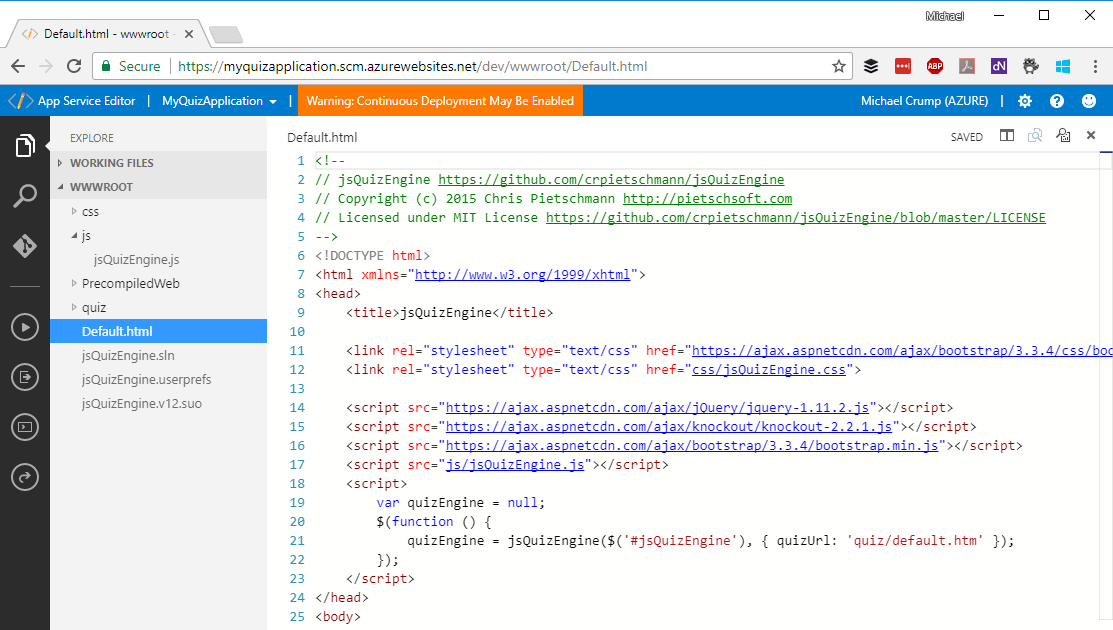
A second thing you could do (which is part of Kudu) is use the App Service Editor. This is an online editor that looks very much like Visual Studio Code. Go to https://someapp.scm.azurewebsites.net/dev.
The third thing: if you have any settings in your web.config that you want to manage without updating the configuration file, have a look at the Application Settings. Any setting that's in there overrides the setting with the same name in the web.config.
Related