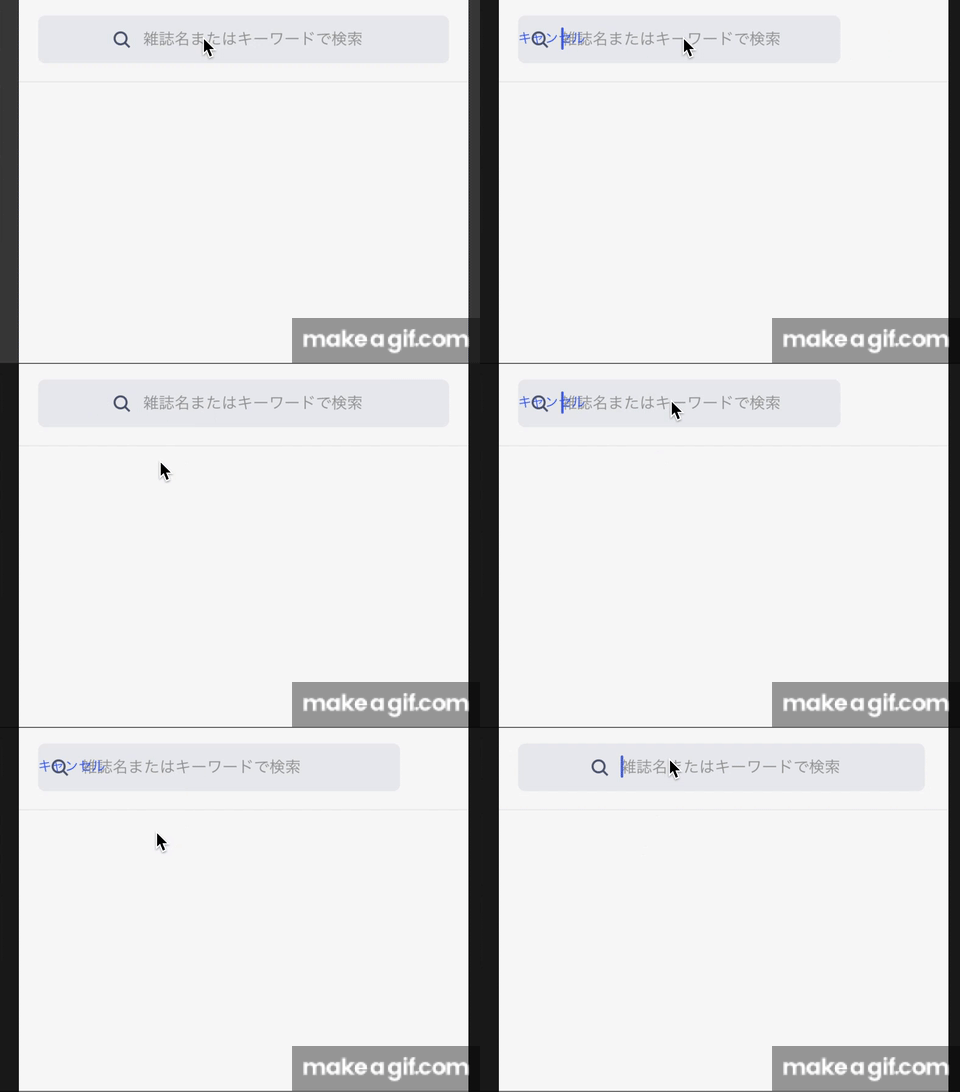
I want to show a cancel button, on the focus TextInput animation. I did the following code, but a cancel button does not display and follow the box when focused. It's only shown after the animation end.
And when cancel button displayed, it is not on the same line with textinput. How do I fix this?
const { width } = Dimensions.get('window');
const PADDING = 16;
const SEARCH_FULL_WIDTH = width - PADDING * 2;  //search_width when unfocused
const SEARCH_SHRINK_WIDTH = width - PADDING - 90;  //search_width when focused

class Search extends React.Component {

constructor(props: IProps) {
  super(props);
  this.state = {
    inputLength: new Animated.Value(SEARCH_FULL_WIDTH),
    searchBarFocused: false,
  }
}

private onFocus = () => {
  Animated.timing(this.state.inputLength, {
    toValue: SEARCH_SHRINK_WIDTH,
    duration: 250,
  }).start(() => this.setState({ searchBarFocused: true }));
}

private onBlur = () => {
  Animated.timing(this.state.inputLength, {
    toValue: SEARCH_FULL_WIDTH,
    duration: 250,
  }).start(() => this.setState({ searchBarFocused: false }));
}


<View style={styles.searchContainer}>
<Animated.View style={[
  styles.search,
  {
    width: this.state.inputLength,
    position: 'absolute',
    left: 16,
    alignSelf: 'center'
  },
  searchBarFocused === true ? undefined : { justifyContent: 'center' }
]}>
  <Image source={searchIcon} style={styles.image} />
  <TextInput
    style={styles.searchInput}
    ....
    onBlur={this.onBlur}
    onFocus={this.onFocus}
  />
</Animated.View>

{searchBarFocused &&
  <Touchable style={styles.cancelSearch} onPress={this.cancelSearch}>
    <Text style={styles.cancelSearchText}>Cancel</Text>
  </Touchable>
}
</View>

const styles = StyleSheet.create({
  searchContainer: {
    flexDirection: 'row',
    height: 72,
    borderBottomColor: SOLITUDE_COLOR,
  },
  search: {
    flex: 1,
    flexDirection: 'row',
    height: 40,
    borderRadius: 6,
  },
  cancelSearch: {
    marginHorizontal: 16,
    textAlign: 'center',
    justifyContent: 'center'
  }
});
gif: when unfocus and focused