I have been trying to install Xamarin for the first time. I have it installed and i have the first dummy project open. I haven't made any changes to it i am just trying to run it. (F5)
The first thing i am getting is

I click the learn more which brings me to Hardware Acceleration for Emulator Performance (Hyper-V & HAXM)
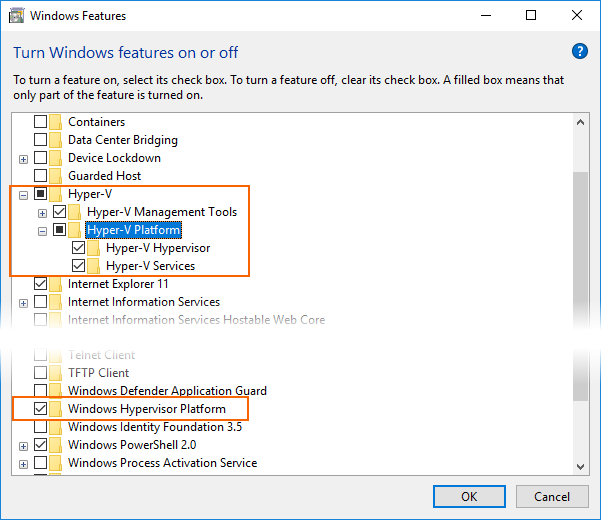
Hyper-v is enabled via bios on this machine i know this becomes i also have docker on this machine which runs just fine using hyper-v. I ran though all the settings in this webpage and it doesnt seam to fix the problem.
I searched the whole page i cant find anything about what windows spring creators update (Redstone 4) is.
If i go though Tools -> Android -> Android device manager. I get the following screen.

The here link brings me to the same place as before. (Hyper-V & HAXM)](https://docs.microsoft.com/en-us/xamarin/android/get-started/installation/android-emulator/hardware-acceleration?tabs=vswin)
If i try and run anyway the emulator starts but its not starting with the project.
SystemInfo
Hyper-V Requirements: A hypervisor has been detected. Features required for Hyper-V will not be displayed.
Hyper-v is running Docker has been using it for months. Yes i disable docker when running this project.
winver
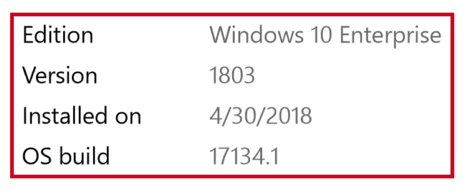
Windows version says Version 1803 (OS build 17134.228) .
Visual studio version
Visual studio 15.8.2
Tools > Android > Android SDK Manager in Visual Studio.
Android emulator is at 27.3.9 Android SDK tools is at 26.1.1
What am i doing wrong how do you run an android project using Xamarin.