
I am searching for a way to make my recycleView elastic at the top when pulled. Let me show you a image of what i want:
https://raw.githubusercontent.com/baoyongzhang/android-PullRefreshLayout/master/demo.gif
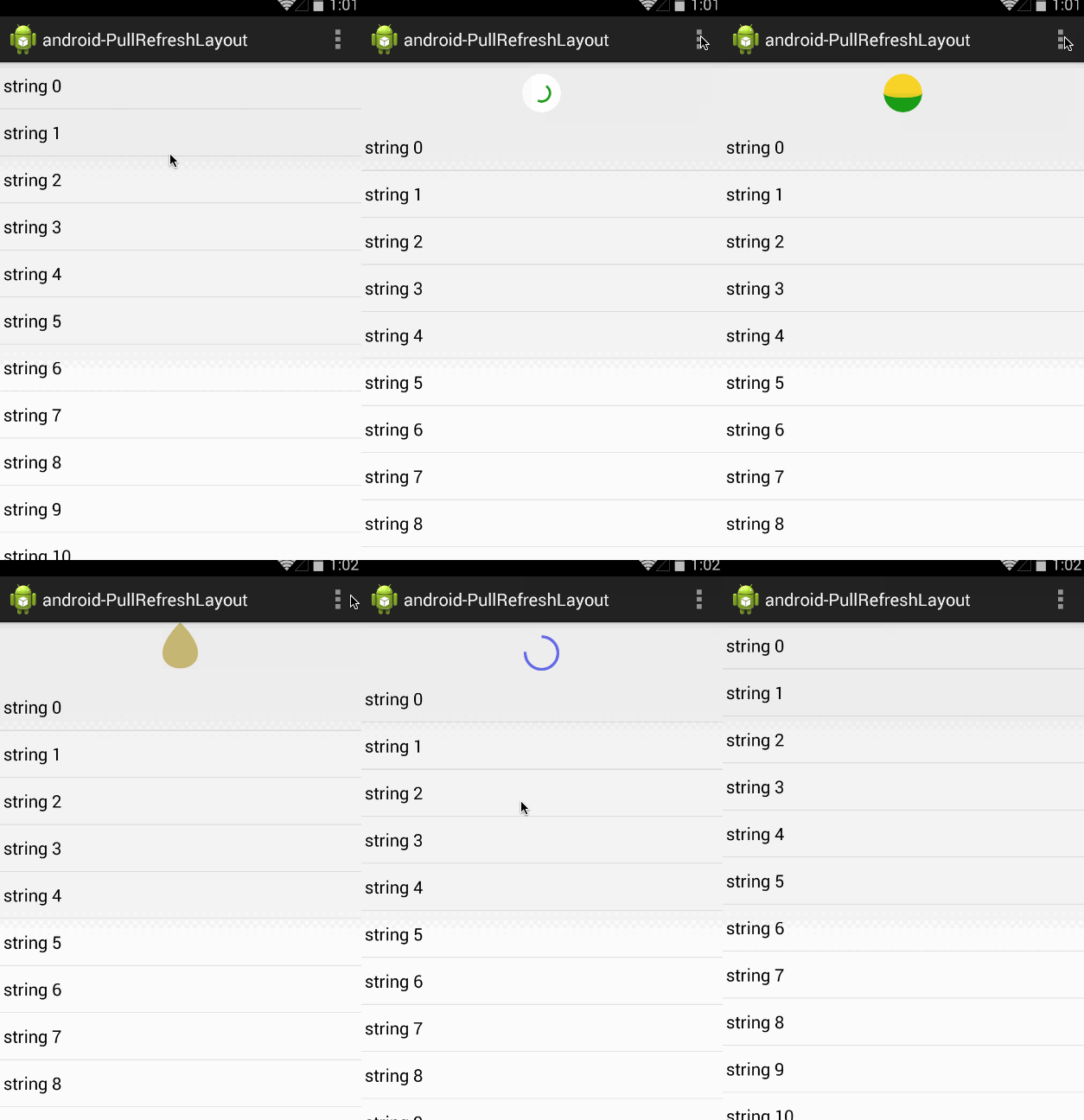
So you can see from that gif, that when the user pulls down on the very top of the list it kind of has an elastic bounce affect. How do i achieve that ? i want this affect so my swipeRefreshLayout doesn't get triggered so easily just by reaching the top. i want them to actually PULL to refresh not just reach the top. my appbar layout looks like this right now:
    <?xml version="1.0" encoding="utf-8"?>

<android.support.design.widget.CoordinatorLayout xmlns:android="http://schemas.android.com/apk/res/android"
    xmlns:app="http://schemas.android.com/apk/res-auto"
    android:id="@+id/main_content"
    android:layout_width="match_parent"
    android:fitsSystemWindows="false"
    android:layout_height="match_parent">

    <android.support.design.widget.AppBarLayout
        android:id="@+id/id_appbar"
        android:layout_width="match_parent"
        android:layout_height="wrap_content"
        android:background="@android:color/white">

        <android.support.design.widget.CollapsingToolbarLayout
            android:id="@+id/collapsing_toolbar"
            android:layout_width="match_parent"
            android:layout_height="match_parent"
            app:contentScrim="@color/white"
            app:layout_scrollFlags="scroll|exitUntilCollapsed"
            app:titleEnabled="false">

            <com.mobile..UI.customViews.CategoryBanner
                android:id="@+id/shortcutbanner"
                android:layout_width="match_parent"
                android:layout_height="wrap_content"
                app:layout_collapseMode="parallax" />

            <include layout="@layout/toolbar" />


        </android.support.design.widget.CollapsingToolbarLayout>

        <android.support.design.widget.TabLayout
            android:id="@+id/tabLayout"
            android:layout_width="match_parent"
            android:layout_height="wrap_content"
            app:tabGravity="fill"
            app:tabMode="fixed"
            android:elevation="6dp"
            app:tabSelectedTextColor="@android:color/darker_gray"
            app:tabTextColor="@color/black" />

    </android.support.design.widget.AppBarLayout>


    <FrameLayout
        android:layout_width="match_parent"
        android:layout_height="match_parent"
        app:layout_behavior="@string/appbar_scrolling_view_behavior">

        <LinearLayout
            android:layout_width="match_parent"
            android:layout_height="match_parent"
            android:layout_gravity="fill_vertical"
            android:orientation="vertical">


            <com.mobile.UI.customViews.HomePageViewPager
                android:id="@+id/pager"
                android:layout_width="match_parent"
                android:layout_height="match_parent"
                android:layout_gravity="fill_vertical"
                />


        </LinearLayout>
    </FrameLayout>
</android.support.design.widget.CoordinatorLayout>
and inside of a tab i have the following recyclerView:
    <?xml version="1.0" encoding="utf-8"?>
<LinearLayout xmlns:android="http://schemas.android.com/apk/res/android"
    android:layout_width="match_parent"
    android:layout_height="match_parent"
    android:orientation="vertical">


    <android.support.v4.widget.SwipeRefreshLayout
        android:id="@+id/swipefeedRefreshLayout"
        android:layout_width="match_parent"
        android:layout_height="match_parent">

    <com.mobile.UI.customViews.VelocityControlRecyclerView
        android:id="@+id/recyclerView"
        android:layout_marginTop="0dp"
        android:layout_width="match_parent"
        android:layout_height="match_parent" />

    </android.support.v4.widget.SwipeRefreshLayout>
</LinearLayout>
in my activity i tried calling this but it does not work:
mRecyclerView.setOverScrollMode(View.OVER_SCROLL_ALWAYS);