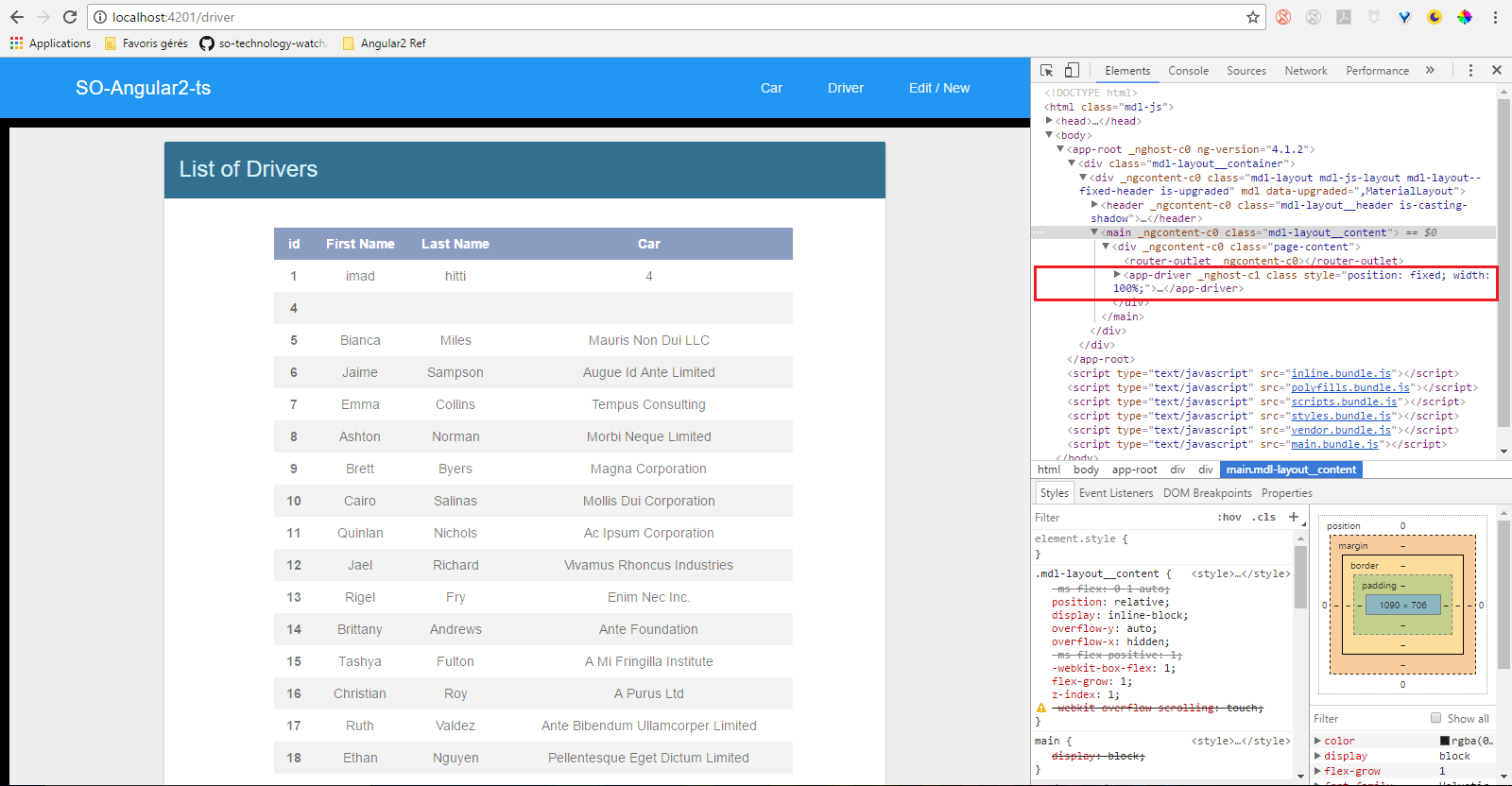
I'm new to AngularJS and I'm doing a basic app that show list of cars from an API call.
The problem that I'm facing and I gave up on it is that the components that are called using <router-outlet></router-outlet> are having a style="position: fixed" and I don't know from where it's coming from, which is preventing me from scrolling the page to show all the entries in the table.
I tried to change the CSS in many way with :host without success.
Here is my app template:
<div mdl class="mdl-layout mdl-js-layout mdl-layout--fixed-header">
      <header class="mdl-layout__header">
        <div class="mdl-layout__header-row">
          <!-- Title -->
          <span class="mdl-layout-title">SO-Angular2-ts</span>
          <!-- Add spacer, to align navigation to the right -->
          <div class="mdl-layout-spacer"></div>
          <!-- Navigation. We hide it in small screens. -->
          <nav class="mdl-navigation mdl-layout--large-screen-only">
            <a routerLink="" class="mdl-navigation__link" href="">Car</a>
            <a routerLink="driver" class="mdl-navigation__link" href="">Driver</a>
            <a routerLink="add-edit-form" class="mdl-navigation__link" href="">Edit / New</a>
          </nav>
        </div>
      </header>

      <main class="mdl-layout__content">
        <div class="page-content">
          <router-outlet></router-outlet>
        </div>
      </main>
    </div>
And when I'm launching the app I have this issue: