Frameless window with controls in electron (Windows)

Viewed 60438

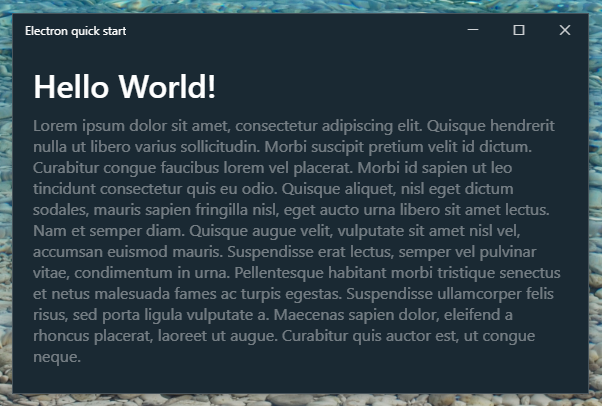
I want my app to have no title bar but still be closeable, draggable, minimizable, maximizable, and resizable like a regular window. I can do this in OS X since there is a [titleBarStyle] 1 option called hidden-inset that I can use but unfortunately, it's not available for Windows, which is the platform that I'm developing for. How would I go about doing something like this in Windows?

Example Above is an example of what I'm talking about.
4 Answers

I was inspired by Shawn's article and apps like Hyper Terminal to figure out how to exactly replicate the Windows 10 style look as a seamless title bar, and wrote this tutorial (please note: as of 2022 this tutorial is somewhat outdated in terms of Electron).

It includes a fix for the resizing issue Shawn mentioned, and also switches between the maximise and restore buttons, even when e.g. the window is maximised by dragging the it to the top of the screen.

Quick reference

  • Title bar height: 32px
  • Title bar title font-size: 12px
  • Window control buttons: 46px wide, 32px high
  • Window control button assets from font Segoe MDL2 Assets (docs here), size: 10px
  • Minimise: 
  • Maximise: 
  • Restore: 
  • Close: 
  • Window control button colours: varies between UWP apps, but seems to be
  • Dark mode apps (white window controls): #FFF
  • Light mode apps (black window controls): #171717
  • Close button colours
  • Hover (:hover): background #E81123, colour #FFF
  • Pressed (:active): background #F1707A, colour #000 or #171717

Note: in the tutorial I have switched to PNG icons with different sizes for pixel-perfect scaling, but I leave the Segoe MDL2 Assets font characters above as an alternative

I use this in my apps:

const { remote } = require("electron");
var win = remote.BrowserWindow.getFocusedWindow();

var title = document.querySelector("title").innerHTML;
document.querySelector("#titleshown").innerHTML = title;

var minimize = document.querySelector("#minimize");
var maximize = document.querySelector("#maximize");
var quit = document.querySelector("#quit");

minimize.addEventListener("click", () => {
  win.minimize();
});

maximize.addEventListener("click", () => {
  win.setFullScreen(!win.isFullScreen());
});

quit.addEventListener("click", () => {
  win.close();
});

nav {
  display: block;
  width: 100%;
  height: 30px;
  background-color: #333333;
  -webkit-app-region: drag;
  -webkit-user-select: none;
  position: fixed;
  z-index: 1;
}

nav #titleshown {
  width: 30%;
  height: 100%;
  line-height: 30px;
  color: #f7f7f7;
  float: left;
  padding: 0 0 0 1em;
}

nav #buttons {
  float: right;
  width: 150px;
  height: 100%;
  line-height: 30px;
  background-color: #222222;
  -webkit-app-region: no-drag;
}

nav #buttons #minimize,
nav #buttons #maximize,
nav #buttons #quit {
  float: left;
  height: 100%;
  width: 33%;
  text-align: center;
  color: #f7f7f7;
  cursor: default;
}

nav #buttons #minimize:hover {
  background-color: #333333aa;
}
nav #buttons #maximize:hover {
  background-color: #333333aa;
}
nav #buttons #quit:hover {
  background-color: #ff0000dd;
}

main {
  padding-top: 30px;
  overflow: auto;
  height: calc(100vh - 30px);
  position: absolute;
  top: 30px;
  left: 0;
  padding: 0;
  width: 100%;
}
<html>
  <head>
      <meta charset="UTF-8">
      <title>Hello World!</title>
  </head>
  <body>
    <nav>
      <div id="titleshown"></div>
      <div id="buttons">
          <div id="minimize"><span>&dash;</span></div>
          <div id="maximize"><span>&square;</span></div>
          <div id="quit"><span>&times;</span></div>
      </div>
    </nav>
    <main>
      <div class="container">
          <h1>Hello World!</h1>
      </div>
    </main>
  </body>
</html>

Ran into this problem and my solution was to keep the frame but set the title to blank i.e.

document.querySelector("title").innerHTML ="";

That solved my problem i.e. I got a window which can be closed, maximized or minimized without a title on it.

Related