Filling any empty cells with the value above

Viewed 33364

I want to fill in all empty cells using values of above cells

state  name
IL     Mike 
       Sam
CA     Kate
       Bill
       Leah

Should be as follows

   state  name
    IL     Mike 
    IL     Sam
    CA     Kate
    CA     Bill
    CA     Leah

I tried the following

Sub split()
Dim columnValues  As Range, i As Long 

Set columnValues = Selection.Area

Set i = 1
For i = 1 To columnValues.Rows.Count   
    If (columnValues(i) = "") Then
    columnValues(i) = columnValues(i - 1)
    End If
Next

End Sub

I get an error when I set i. How can I modify my code
6 Answers
 Sub fill_blanks()
 Dim i As Long
 i = 2 ' i<>1 because your first raw has headings "state " "name"
 'Assume state is in your cell A and name is in your cell B
 Do Until Range("B" & i) = ""
 Range("B" & i).Select
 If ActiveCell.FormulaR1C1 <> "" Then
    Range("A" & i).Select
      If ActiveCell.FormulaR1C1 = "" Then
           Range("A" & i - 1).Copy
           Range("A" & i).PasteSpecial Paste:=xlPasteValues
           Else
           i = i + 1
      End If
    Else
    i = i + 1
  End If
  Loop

End Sub

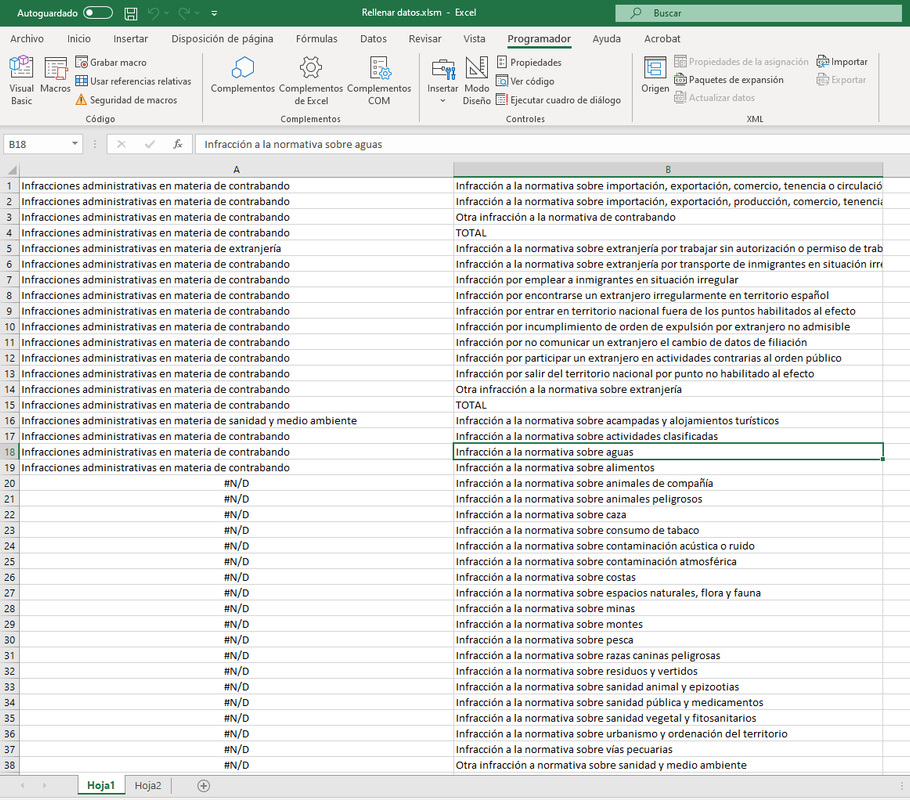
For some cause the method used on post https://stackoverflow.com/a/20439428/2684623 not work for me. When the line .value=.value is executed, I get the error 'not available' (#N/D for local language) in the value of cells. Version of Office is 365.

Error Fillin

I dont know the reason however with some modifications runs fine:

Sub TLD_FillinBlanks()
    
    On Error Resume Next
    With ActiveSheet.UsedRange.Columns(1)
        If .Rows(1) = "" Then .Rows(1).Value = "'"
        .SpecialCells(xlCellTypeBlanks).FormulaR1C1 = "=R[-1]C"
        .Value = .Value
    End With
End Sub

Using loops:

Sub TLD_FillinBlanksLoop()
    Dim rCell As Range
    
    For Each rCell In ActiveSheet.UsedRange.Columns(1).Cells
        If rCell.Value = "" And rCell.Row > 1 Then
            rCell.FillDown
        End If
    Next
    
End Sub

I hope that can be useful for somebody. Thanks and regards.

Here is the whole module, I pasted the formulas as values at the end.

Sub FillBlanksValueAbove()
Dim sName As String
sName = ActiveSheet.Name
Dim ws As Worksheet
Dim lastRow As Long, lastCol As Long
Dim rng As Range

'Set variable ws Active Sheet name
Set ws = Sheets(sName)

    With ws
    'Get the last row and last column
    lastRow = .Range("A" & .Rows.Count).End(xlUp).Row
    lastCol = .Cells(1, .Columns.Count).End(xlToLeft).Column
    'Set the range
    Set rng = .Range(.Cells(1, 1), .Cells(lastRow, lastCol))
    rng.Select
    'Select Blanks
    rng.SpecialCells(xlCellTypeBlanks).Select
    'Fill Blanks with value above
    Selection.FormulaR1C1 = "=R[-1]C"
    'Paste Formulas as Values
    rng.Select
    Selection.Copy
    Selection.PasteSpecial Paste:=xlPasteValuesAndNumberFormats, Operation:= _
    xlNone, SkipBlanks:=False, Transpose:=False

    End With
End Sub
Related