
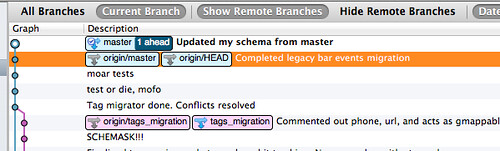
I recently merged a branch I was working on with the 'master' branch. I must have (still kind of a git n00b) done something when pushing or pulling that created both an origin/master and an origin/HEAD branches. Unfortunately, I didn't keep a record of what commands I ran that did this. Currently, my team has a bunch of code in their master copies that I'm not getting when I check out the project (even if I clone to a new location).
Here's a screenshot of what Sourcetree is showing:
I really need to get this resolved so I can keep working so any help will be greatly appreciated.