
In the past, I have used Vim as a note taking platform by creating an index.txt file with a list of tags using the Vim help file format and then creating a bunch of text files that have the normal *Help_Tag* link syntax so that using CTRL-] on a tag in the index.txt file will jump to the respective tag in an arbitrary notes text file. You need to do :helptags dir to generate the tags for the directory (where dir is the path to the notes directory).
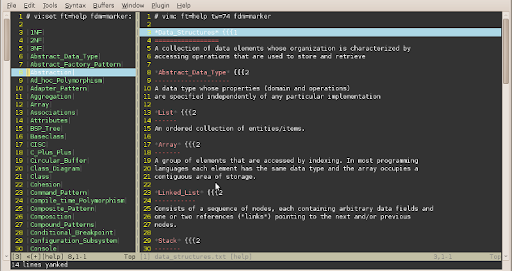
What I am looking for is a simple way to be on the left split window and open the tag under the cursor in the right split window. Something like CTRL-W v but for tag jumping and using the already open vertical split window.
The problem is if you do CTRL-] it will open the tag in the left pane and if you do CTRL-W CTRL-] it creates a horizontally split window in the left pane.
There must be a way to do this that I'm overlooking.