Tools for JPEG optimization?

Viewed 65618

Do you know of any tools (preferrably command-line) to automatically and losslessly optimize JPEGs that I could integrate into our build environment? For PNGs I'm currently using PNGOUT, and it generally saves around 40% bandwidth/image size.

At the very least, I would like a tool that can strip metadata from the JPGs - I noticed a strange case where I tried to make thumbnail from a photograph, and couldn't get it smaller than 34 kB. After investigating more, I found that the EXIF data was still part of the image, and the thumbnail was 3 kB after removing the metadata.

And beyond that - is it possible to further optimize JPGs losslessly? The PNG optimizer tries different compression strategies, random initialization of the Huffmann encoding etc.

I am aware that most savings come from the JPEG quality parameter, and that it's a rather subjective measure. I'm only looking for a tool that can be run as a build step and that losslessly squeezes a few bytes from the images.
14 Answers

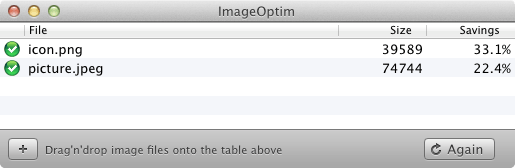
I use libjpeg for lossless operations. It contains a command-line tool jpegtran that can do all you want. With the commandline option -copy none all the metadata is stripped, and -optimize does a lossless optimization of the Huffmann compression. You can also convert the images to progressive mode with -progressive, but that might cause compatibility problems (does anyone know more about that?)

[WINDOWS ONLY]

RIOT(Radical Image Optimization Tool) This is the greatest image optimization tool I have found!

http://luci.criosweb.ro/riot/

You can easily get a 10MB image down to 800KB through sub-sampling. It supports PNG, GIF, and JPEG. It even integrates into context menus so you can send pictures straight there. Allows you to rotate, re-size, compress to specified KB's, and more. Also has plugins for GIMP and IrfanView and other things.

There is also a DLL available if you want to incorporate it into your own programs or java script / c++ program.

Another alternative is http://pnggauntlet.com/ PNGGAUNTLET takes forever but it does a pretty good job.

[WINDOWS ONLY]

I too would recommend ImageMagick. It has a command line option to remove EXIF metadata

mogrify -strip image.jpg

There are plenty of other tools out there that do the same thing.

As far as recompressing JPEGs go, don't. JPEGs are lossy to start with, so any form of recompression is only going to hurt image quality. However, if you have losslessly encoded images, some encoders do a better job than others. I have noticed that JPEGs done with Photoshop consistently look better than when encoded with ImageMagick (despite the same file size) due to complicated reasons. Furthermore (and this is relevant to you), I know that at least Photoshop can save JPEGs as optimized which means they drop compatibility with some stuff that you probably don't care about to save a couple of KB. Also, make sure you don't have any colour profiles embedded and you may be able to save another couple of KB.

Related