How to remove minimize and maximize buttons from a resizable window?

Viewed 83227

WPF doesn't provide the ability to have a window that allows resize but doesn't have maximize or minimize buttons. I'd like to able to make such a window so I can have resizable dialog boxes.

I'm aware the solution will mean using pinvoke but I'm not sure what to call and how. A search of pinvoke.net didn't turn up any thing that jumped out at me as what I needed, mainly I'm sure because Windows Forms does provide the CanMinimize and CanMaximize properties on its windows.

Could someone point me towards or provide code (C# preferred) on how to do this?
8 Answers

I've stolen some code I found on the MSDN forums and made an extension method on the Window class, like this:

internal static class WindowExtensions
{
    // from winuser.h
    private const int GWL_STYLE      = -16,
                      WS_MAXIMIZEBOX = 0x10000,
                      WS_MINIMIZEBOX = 0x20000;

    [DllImport("user32.dll")]
    extern private static int GetWindowLong(IntPtr hwnd, int index);

    [DllImport("user32.dll")]
    extern private static int SetWindowLong(IntPtr hwnd, int index, int value);

    internal static void HideMinimizeAndMaximizeButtons(this Window window)
    {
        IntPtr hwnd = new System.Windows.Interop.WindowInteropHelper(window).Handle;
        var currentStyle = GetWindowLong(hwnd, GWL_STYLE);

        SetWindowLong(hwnd, GWL_STYLE, (currentStyle & ~WS_MAXIMIZEBOX & ~WS_MINIMIZEBOX));
    }
}

The only other thing to remember is that for some reason this doesn't work from a window's constructor. I got around that by chucking this into the constructor:

this.SourceInitialized += (x, y) =>
{
    this.HideMinimizeAndMaximizeButtons();
};

Hope this helps!

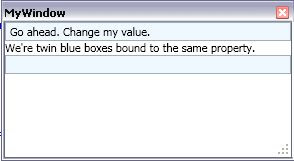
Don't know if this works for your req. visually.. This is

<Window x:Class="DataBinding.MyWindow" ...Title="MyWindow" Height="300" Width="300" 
    WindowStyle="ToolWindow" ResizeMode="CanResizeWithGrip">

This variant of the solution proposed by @MattHamilton can (and must) be called in the constructor of the Window. The trick is to subscribe a delegate to the SourceInitialized event within the extension method.

private const int GWL_STYLE = -16, WS_MAXIMIZEBOX = 0x10000, WS_MINIMIZEBOX = 0x20000;

[DllImport("user32.dll")]
extern private static int GetWindowLong(IntPtr hwnd, int index);

[DllImport("user32.dll")]
extern private static int SetWindowLong(IntPtr hwnd, int index, int value);

/// <summary>
/// Hides the Minimize and Maximize buttons in a Window. Must be called in the constructor.
/// </summary>
/// <param name="window">The Window whose Minimize/Maximize buttons will be hidden.</param>
public static void HideMinimizeAndMaximizeButtons(this Window window)
{
    window.SourceInitialized += (s, e) => {
        IntPtr hwnd = new System.Windows.Interop.WindowInteropHelper(window).Handle;
        int currentStyle = GetWindowLong(hwnd, GWL_STYLE);

        SetWindowLong(hwnd, GWL_STYLE, currentStyle & ~WS_MAXIMIZEBOX & ~WS_MINIMIZEBOX);
    };
}
Related