
Is there any way to move/include style fuctions like - Line thickness and Shapes options to Input tab?
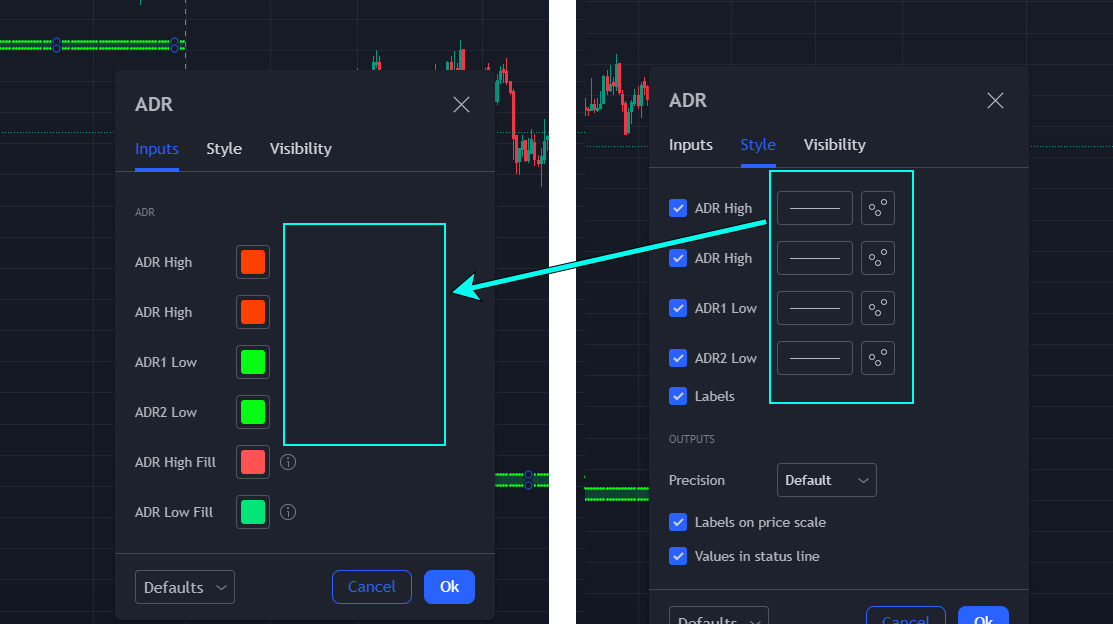
2 Answers
No. These are your options:
input.bool
input.color
input.float
input.int
input.price
input.session
input.source
input.string
input.symbol
input.text_area
input.time
input.timeframe
The "style" tab is exclusively tradingview generated and internally generated. The "inputs" tab is for pine script users where your inputs (see above) appear. Only these types can be used and defined by yourself.
You cannot move but you can do some tricks.
Set the editable parameter of your plot function to false. This way it will not appear in the style tab.
Then create user inputs for each fature you want the user to modify via the inputs section.
//@version=5
indicator("My script")

in_width = input.int(1, "Width", minval=1)
in_color = input.color(color.green, "Color")
in_shape = input.string(shape.circle, "Shape", [shape.circle, shape.diamond])

is_last = barstate.islast

plotshape(is_last, "Shape", in_shape, location.abovebar, in_color, editable=false)
plot(close, "Close", in_color, in_width, editable=false)
Related