
I would like to delete a portion of a texture defined by a black and white mask and replace it with the color of the adjacent pixels
this is an example to make you understand better
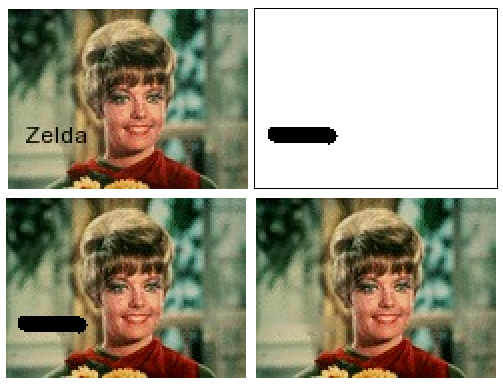
this is my try
first I draw the mask with the white area with the part of the image to be preserved and black with the portion to be obscured with
glDisable (GL_BLEND);
then I draw over the image with
glEnable (GL_BLEND);
glBlendFunc (GL_DST_COLOR, GL_ZERO);
in this way I can delete the part defined by the mask but I don't know how to fill it inside with the colors of the adjacent pixels
thx!
EDIT
I found this shadertoy that does exactly what i'm looking for
https://www.shadertoy.com/view/4ty3Dy
but I have to apply this to a video, and this shader seems to modify a static image multiple times by calling itself while the frames are running
I should have the effect generated for each frame in the simplest and lighter manner to run the shader on a rpi4