Making isntall as a pip command

Viewed 76

This happens to me almost every day:

pip isntall matplotlib --upgrade
ERROR: unknown command "isntall" - maybe you meant "install"

There is one obvious solution; learn how to type install correctly. So far, that hasn't gone well

I've been wondering, is there a way to instead have pip run the install command when I type isntall? It already recommends the solution, so why not just run it instead of making me type it again.

I'm aware of how silly of a question this is, but I honestly can't seem to type install correctly (I've had to correct it twice already in this question)
4 Answers

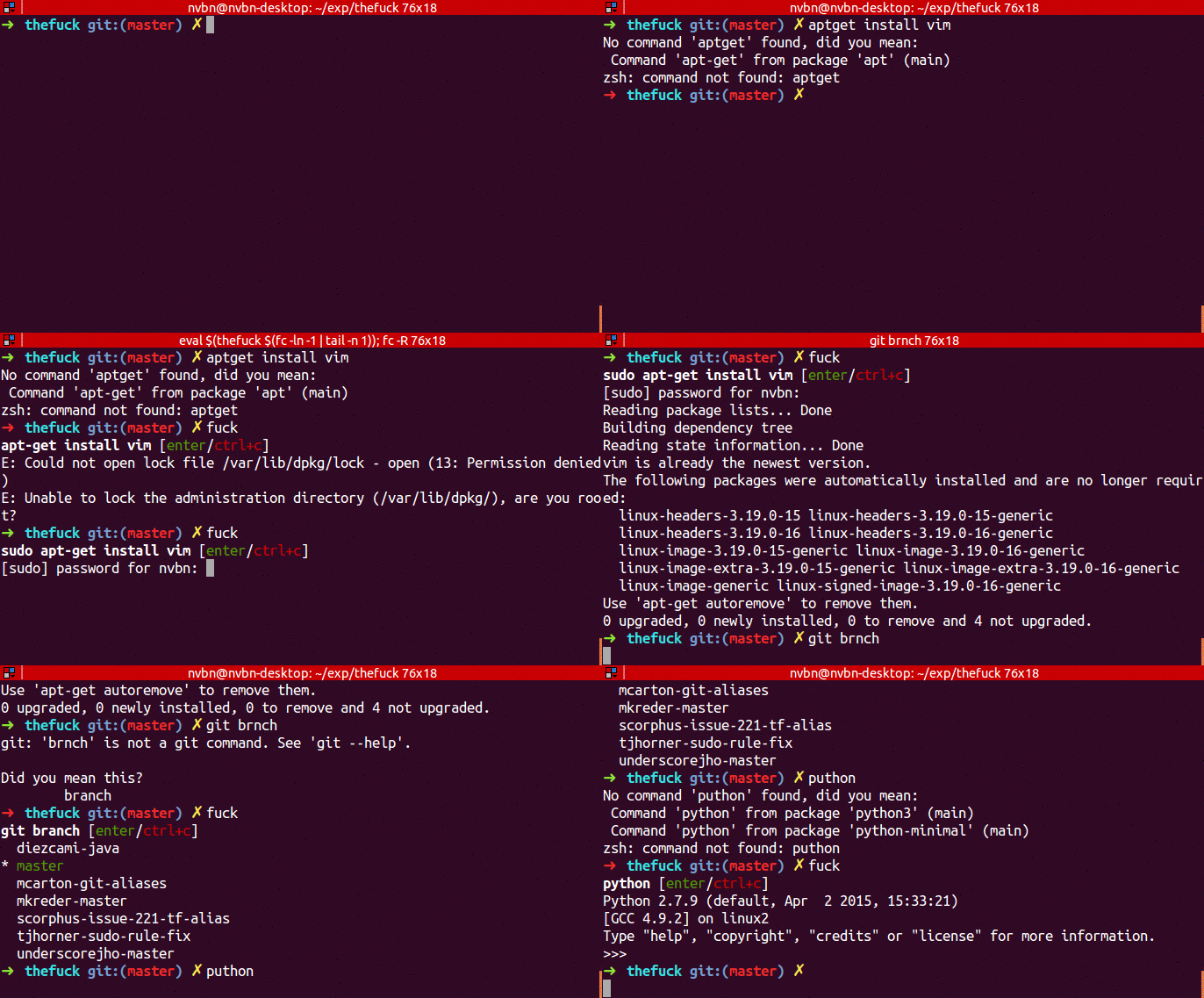
You can use thufuck, when you make a typo like this, just write fuck, you can also customize this later, and it will show the probably correct way to do it.

https://github.com/nvbn/thefuck

enter image description here

Disclaimer

This is not a solution to be taken seriously, rather of the "you can do this a well" kind. The code uses knowledge of internal pip implementation and may break on new release of pip.


You can patch the related pip logic in a custom sitecustomize module. Create a file sitecustomize.py with the following contents:

import re
import pip._internal.cli.main_parser as pip_cli_parser
from pip._internal.exceptions import CommandError

error_pattern = re.compile(
    r'unknown command "(?P<cmd>.*?)"(?: - maybe you meant "(?P<guess>.*?)")?'
)
parse_command_orig = pip_cli_parser.parse_command

def parse_command(args):
    try:
        return parse_command_orig(args)
    except CommandError as err:
        msg = str(err)
        cmd_name, guess = error_pattern.search(msg).groups()
        if guess is not None:
            cmd_args = args[:]
            cmd_args.remove(cmd_name)
            return guess, cmd_args
        else:
            raise err


pip_cli_parser.parse_command = parse_command

Place the file in the site-packages directory where pip is installed to. You can find it e.g. by running pip -V:

$ pip -V
pip 21.2.3 from /tmp/tst/lib64/python3.10/site-packages/pip (python 3.10)

The target directory in this example is thus /tmp/tst/lib64/python3.10/site-packages.

Now pip's command parser will be patched each time a Python process starts:

$ pip lit  # instead of 'list'
Package    Version
---------- -------
pip        22.0.4
setuptools 57.4.0

You can create a function to solve this (stick it in your .bashrc or what-have-you).

pip() {
        if [[ $1 == "isntall" ]]; then
                command pip install ${@: 2}
        else;
                command pip $@
        fi
}

If I wrote that correctly it will catch your mispeling and run the command properly.

I ended up editing the a file in the pip folder to add an sintall command. In [path_to_python]\Lib\site-packages\pip_internal\commands_init_.py, there is a dictionary that looks like this...

commands_dict: Dict[str, CommandInfo] = {
    "install": CommandInfo(
        "pip._internal.commands.install",
        "InstallCommand",
        "Install packages.",...

And I just added a dictionary entry for 'isntall'

"isntall": CommandInfo(
    "pip._internal.commands.install",
    "InstallCommand",
    "Install packages.",
)

Definitely not an ideal solution because any new env of update would require the same edit, but for now it's working well and doesn't require any new typing after the typo. DEfinitely still happy to hear a better answer

Related