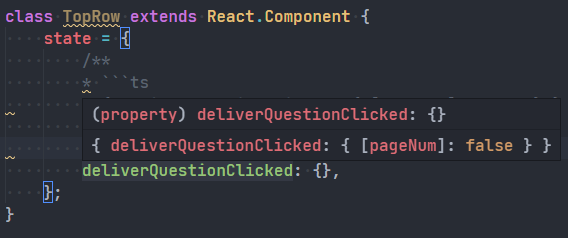
When working on a javascript/typescript project in VSCode, I want to write multi-line code in comment. Knowing that VSCode supports markdown syntax in comment, I go ahead and write:
/**
* ```ts
* { deliverQuestionClicked: { [pageNum]: false } }
* ```
*/
deliverQuestionClicked: {},
However when I hover on that variable, VSCode renders the comment in a ugly looking way:
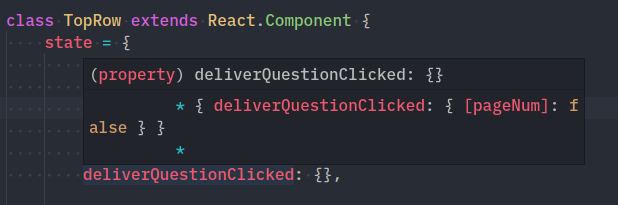
As the screenshot shown above, there're extra * that I don't want.
So I wonder what is the correct way to write multi-line code in comment?
Update 2020/9/25
I can confirm this problem doesn't exist in VSCode 1.49.1
Code:
class TopRow extends React.Component {
    state = {
        /**
        * ```ts
        * { deliverQuestionClicked: { [pageNum]: false } }
        * ```
        */
        deliverQuestionClicked: {},
    };
}
When I hover over that class property, it shows the JSDoc perfectly: