Configure a first cell by default in Jupyter notebooks

Viewed 8229

TIs there a way to configure a default first cell for a specific python kernel in the Jupyter notebook? I agree that default python imports go against good coding practices.

So, can I configure the notebook such that the first cell of a new python notebook is always

import numpy as np

for instance?
7 Answers

I came up with this:

1 - Create a startup script that will check for a .jupyternotebookrc file:

# ~/.ipython/profile_default/startup/run_jupyternotebookrc.py

import os
import sys

if 'ipykernel' in sys.modules: # hackish way to check whether it's running a notebook
    path = os.getcwd()
    while path != "/" and ".jupyternotebookrc" not in os.listdir(path):
        path = os.path.abspath(path + "/../")
    full_path = os.path.join(path, ".jupyternotebookrc")
    if os.path.exists(full_path):
        get_ipython().run_cell(open(full_path).read(), store_history=False)

2 - Create a configuration file in your project with the code you'd like to run:

# .jupyternotebookrc in any folder or parent folder of the notebook

%load_ext autoreload
%autoreload 2
%matplotlib inline

import numpy as np

You could commit and share your .jupyternotebookrc with others, but they'll also need the startup script that checks for it.

A quick and also flexible solution is to create template notebooks e.g. One notebook with specific imports for a python 2.7 kernel:

a_template_for_python27.ipynb

Another notebook with different imports:

a_template_for_python36.ipynb

The preceding a_ has the advantage that your notebook shows up on top.

Now you can duplicate the notebook whenever you need it. The advantage over %load firstcell.py is that you don't need another file.

However the problem of this approach is that the imports do not change dynamically when you want to start an existing notebook with another kernel.

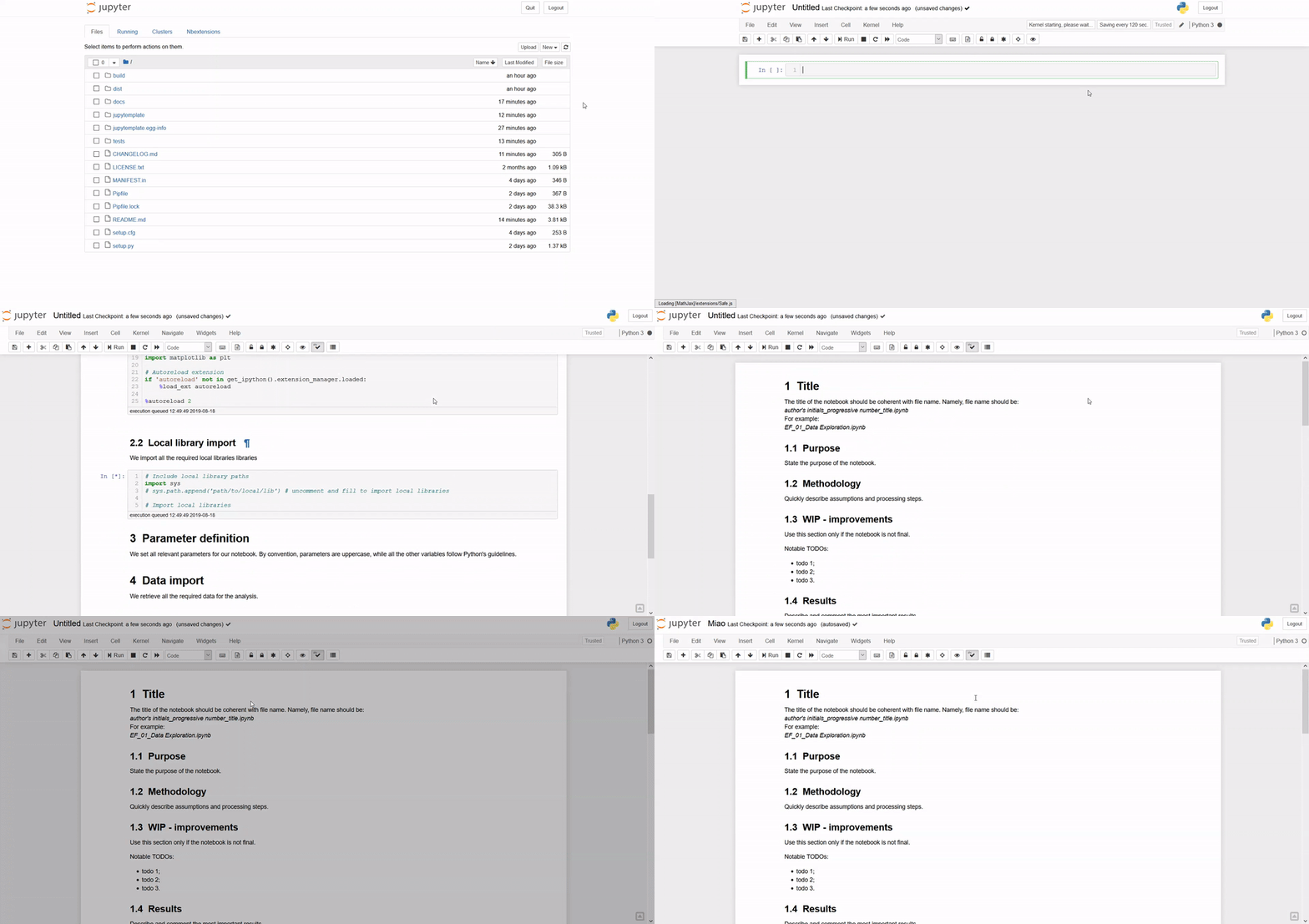
While looking into the same question I found the Jupytemplate project from I was looking into the same question and found a pretty good lightwightb solution for this kind of problem. Jupytemplate copies a template Notebook on top of the notebook you are working on when you initialise the template or press a button. Afterwords the inserted cells are a completly normal part of your Notebook and can be edited/converted/downloaded/exported/imported like you do with any other notebook.

Image

Github Project jupytemplate

An alternative which I find to be quite handy is to use %load command in your notebook.

As an example I stored the following one line code into a python file __JN_init.py

import numpy as np

Then whenever you need it, you could just type in:

%load __JN_init.py

and run the cell. You will get the intended package to be loaded in. The advantage is that you could keep a set of commonly used initialization code with almost no time to set up.

Related