You can use the Python script pyvideothumbnailer found on GitHub, which uses PyAV, MediaInfo and PIL/Pillow. It was written by me and is available under the BSD-3-clause license. It should do the complete job for you.
It has meaningful defaults. So you can just start creating your first preview thumbnails image of an individual video file by invoking:
pyvideothumbnailer [VIDEO FILE]
or to create thumbnails of all video files located in the current working directory:
pyvideothumbnailer
or to create thumbnails of all video files located in a directory:
pyvideothumbnailer [DIRECTORY CONTAINING VIDEOS]
or in case that you want to create previews of videos in subdirectories as well:
pyvideothumbnailer --recursive [DIRECTORY CONTAINING VIDEOS]
Its behavior can be controlled by command line options and a user-defined configuration file .pyvideothumbnailer.conf.
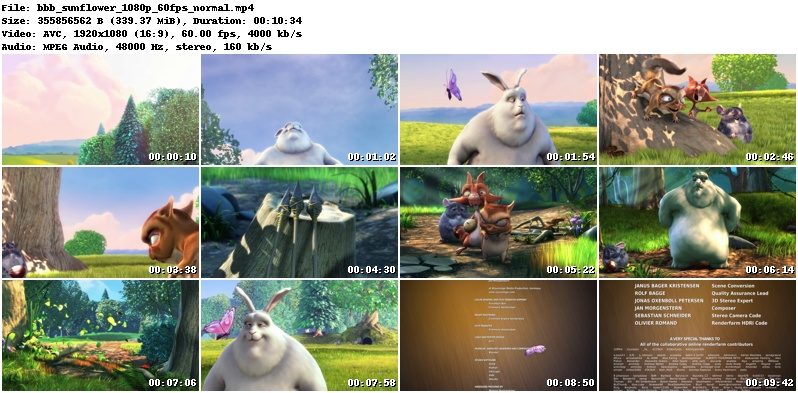
Here are two examples how it works creating preview thumbmnails of Big Buck Bunny. For further reference have a look at the GitHub wiki page.
Using defaults:
pyvideothumbnailer bbb_sunflower_1080p_60fps_normal.mp4
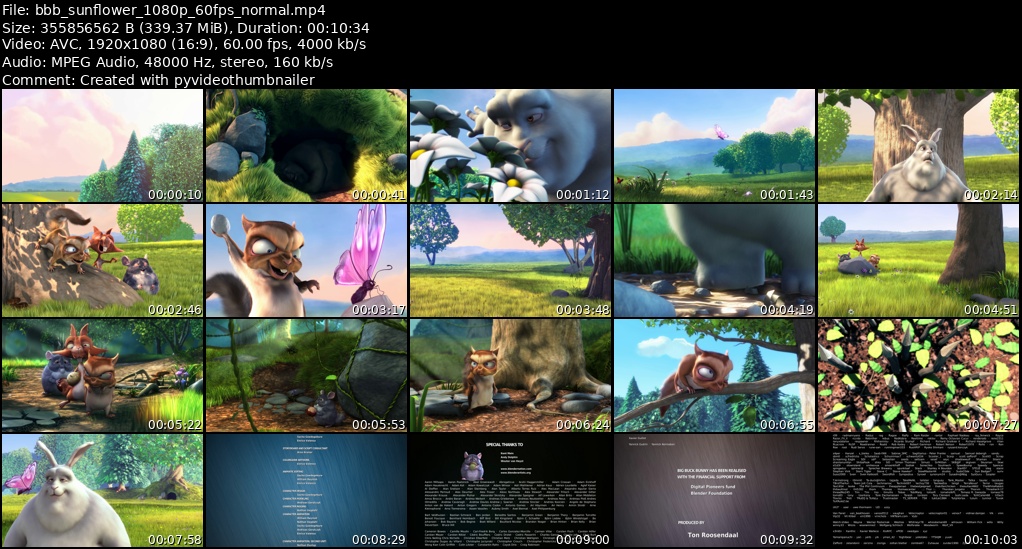
White header font on black background, DejaVuSans TrueType font instead of the built-in font, adding a comment at the bottom of the header, custom preview thumbnails image width and 5 x 4 preview thumbnails:
pyvideothumbnailer --background-color black --header-font-color white --header-font DejaVuSans.ttf --timestamp-font DejaVuSans.ttf --comment-text "Created with pyvideothumbnailer" --width 1024 --columns 5 --rows 4 bbb_sunflower_1080p_60fps_normal.mp4